
Description
Complete and the most affordable auction solution for WordPress and WooCommerce. WooCommerce Auctions plugin enables you to create professional auction website or Ebay clone with regular, proxy, sealed (silent) and reverse auctions along with your normal products. WordPress auctions have never been easier to setup! Watch video explaining how easy is to setup auctions with Simple Auctions and WooCommerce.
WooCommerce Auctions is easy to use professional auction software which enables owners to have WordPress auction website which is easy to setup, manage and customize. With our auction plugin you can setup WordPress auctions and start bidding in 30 minutes (assuming you have payment ready).
Please read documentation and check our auction demo website (demo runs on latest WordPress, WooCommerce and Simple Auctions).
WooCommerce Simple Auctions Overview and Features:
- Actively supported and developed for over 12 years!
- First ever WooCommerce Auction plugin released on 13th Feb 2014.
- Allow bidding only if user has stored credit card (Stripe only)
- Auto charge for won auctions if user has stored credit card (Stripe only)
- Ajax bidding on single auction page or product loop (contact us for more info)
- Works with latest WordPress, WooCommerce and supports latest PHP 8
- Seamless integration to WooCommerce – custom product type auction
- Verify credit card / payment details before user can bid (for all payment gateways, implemented via addon)
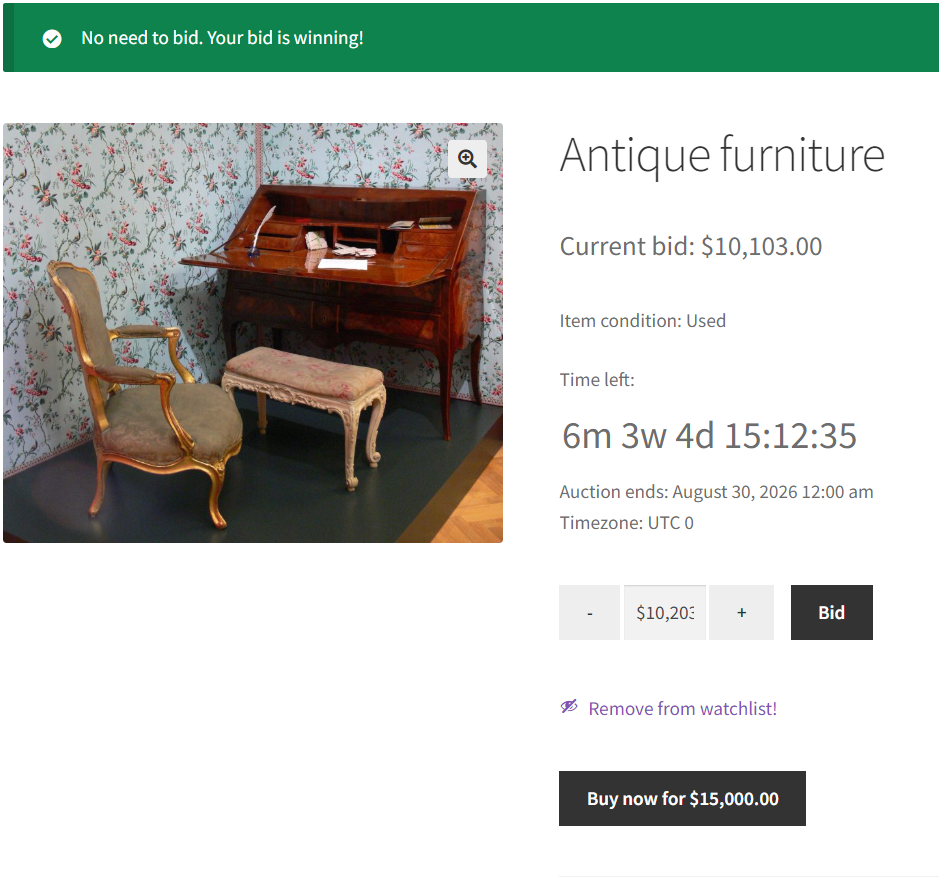
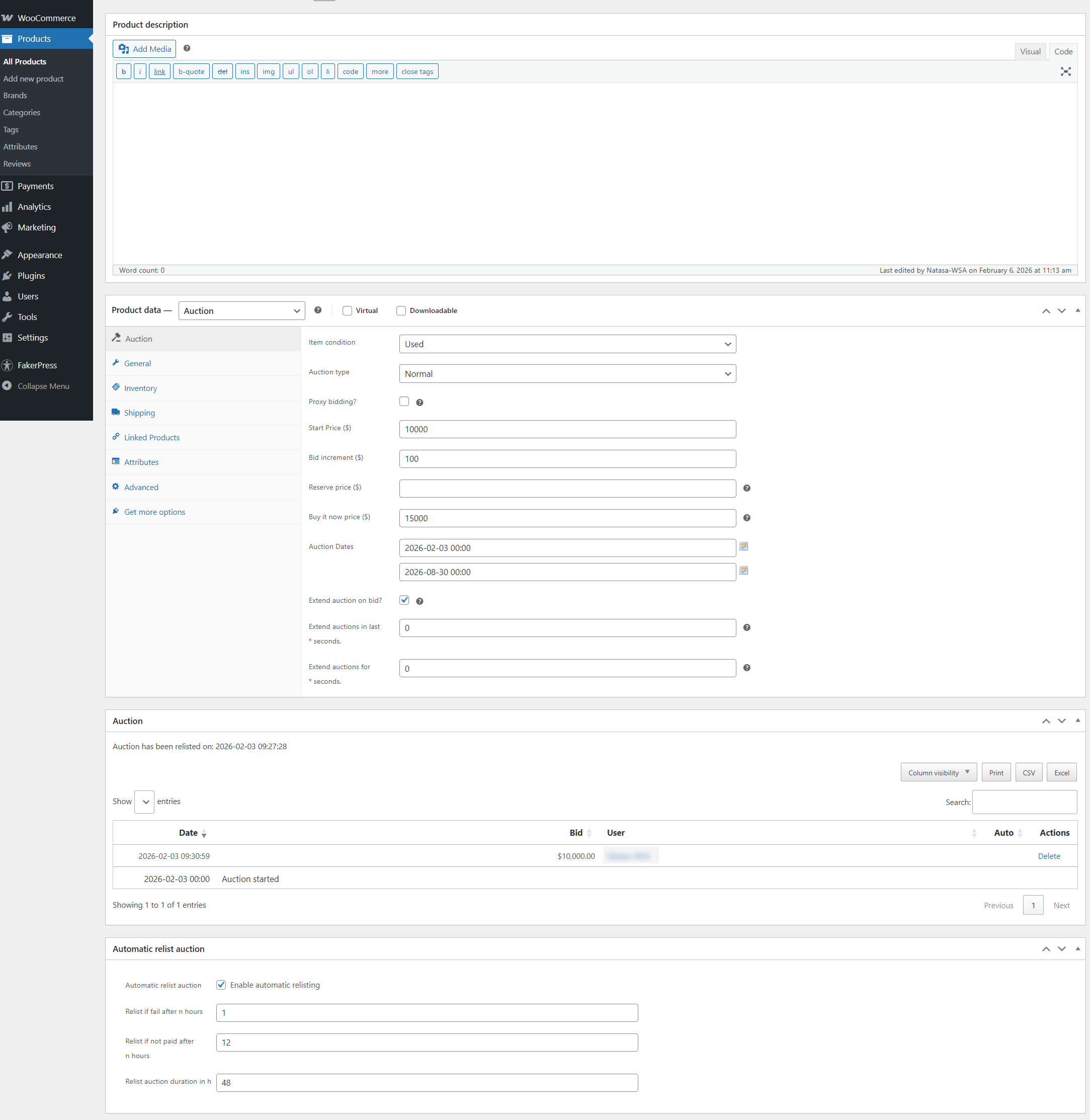
- Anti Snipping feature – extend auction end time when someone places bid say 30 seconds before auction end, configurable)
- Option to charge a commission fee to auction winner
- Penny Auctions available (implemented via addon)
- Auctions Winners report tool in wp-admin – with CSV export
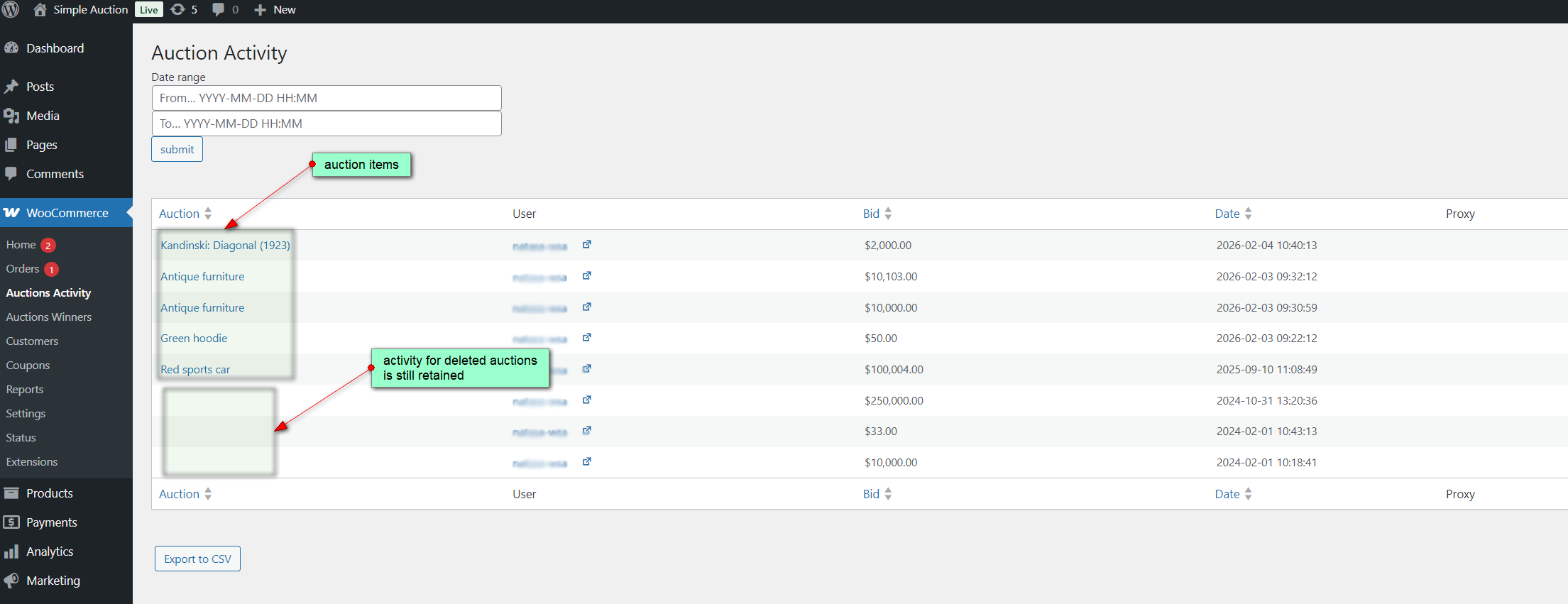
- Auctions Activity report tool in wp-admin – with CSV export
- Elementor support – view tutorial
- Works with all payment gateways in WooCommerce and TeraWallet
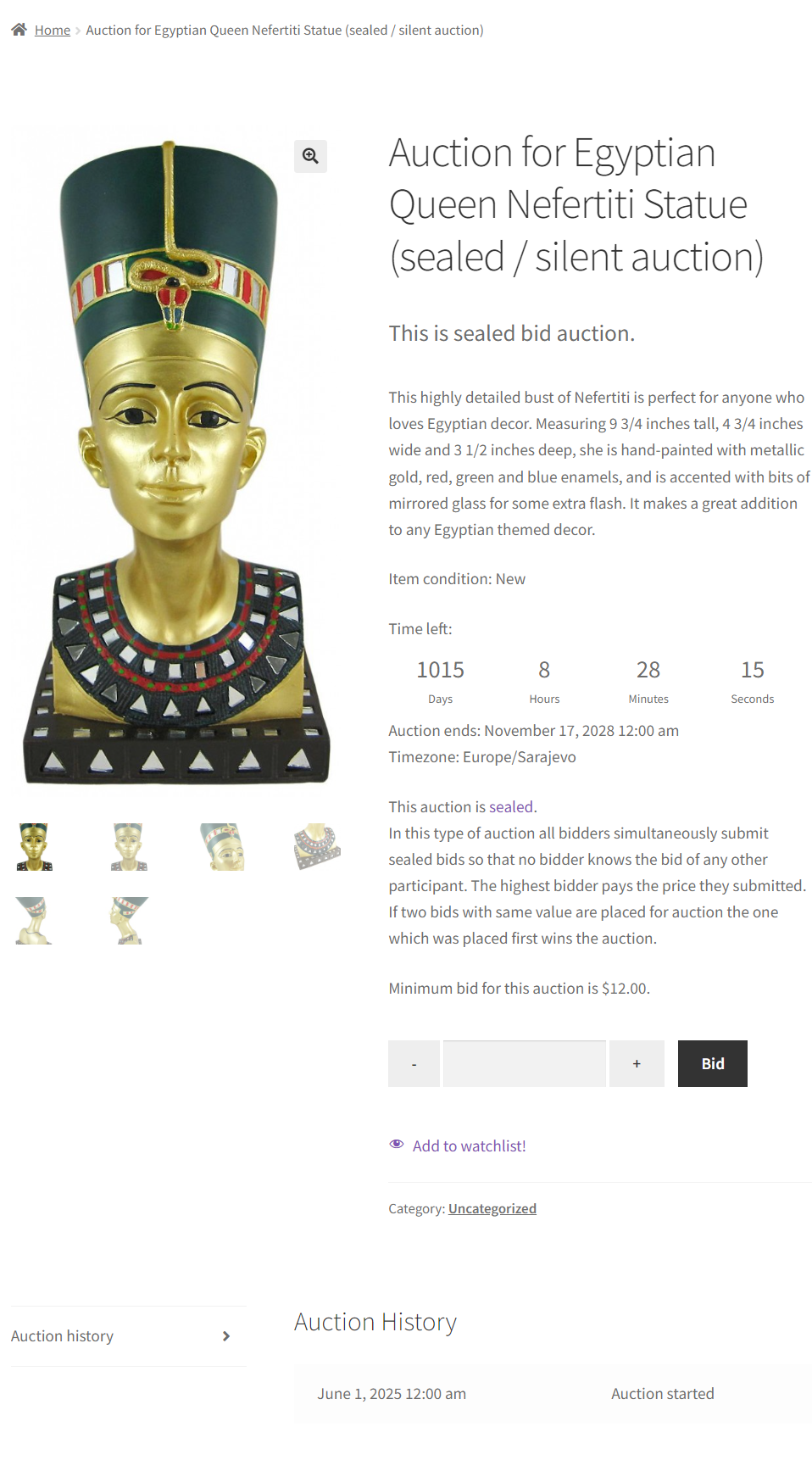
- Normal, reverse and sealed (silent) auctions, proxy / auto bidding
- Define start price, price increment, reserve price, buy it now price
- Set start and end time for auction
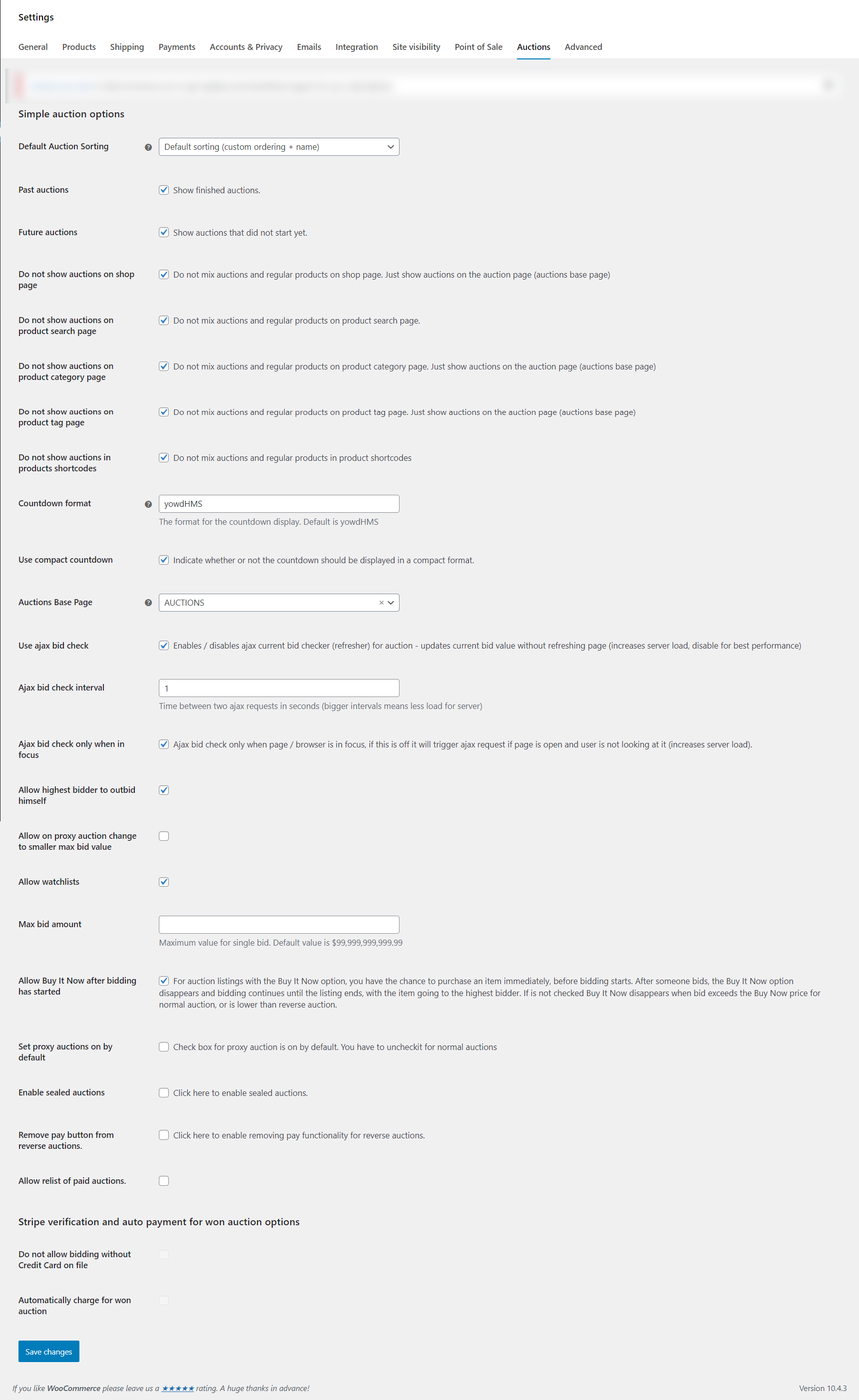
- Option to display auctions – along with products or separately
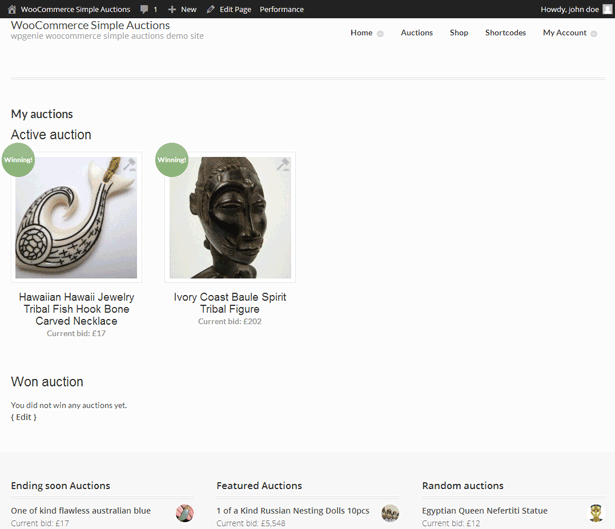
- Widgets with ending soon, future, latest, featured, recently viewed, my auctions and random auctions
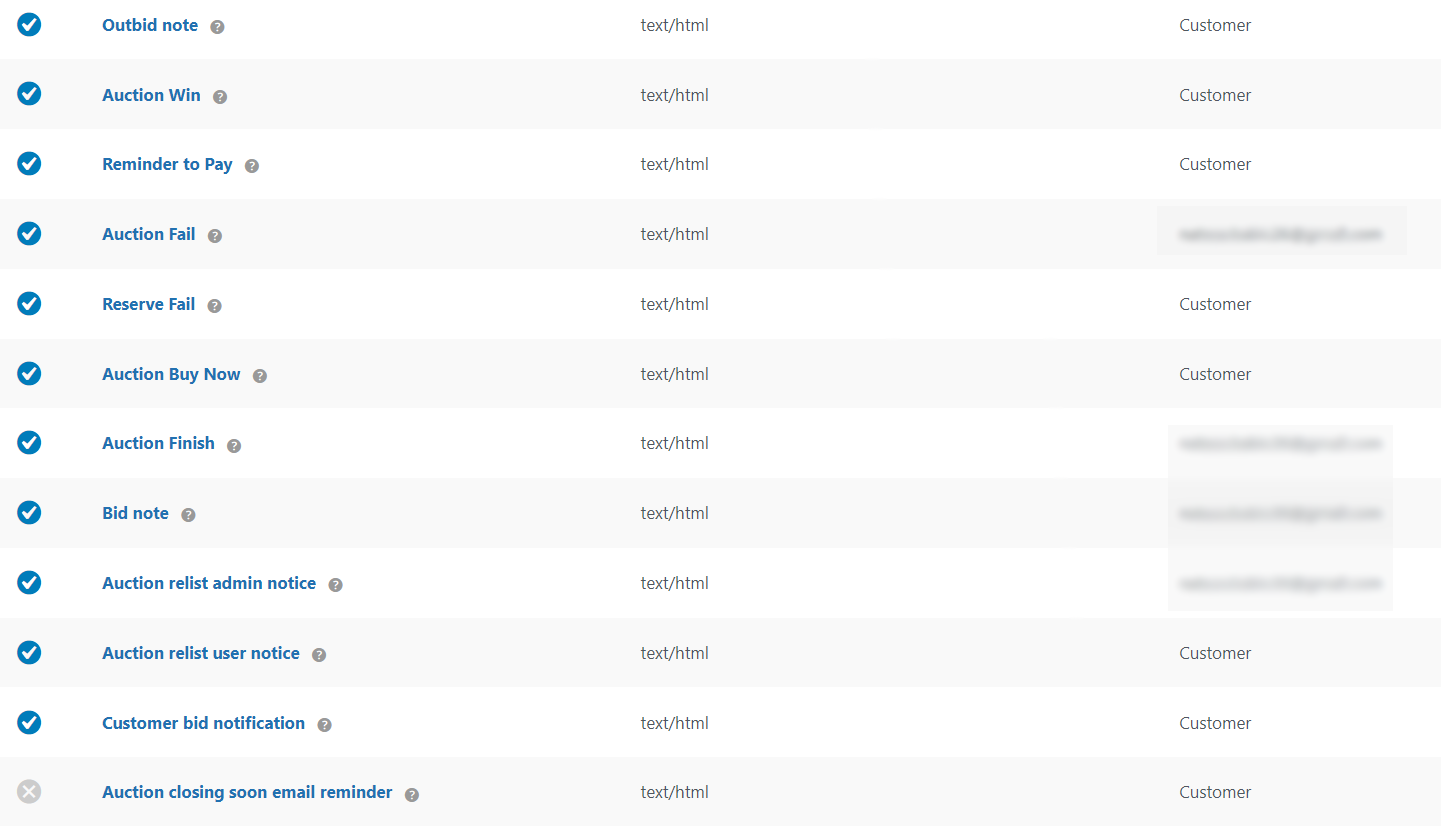
- Email notifications (with editable email templates) for outbid note, auction won, payment reminder, auction fail, reserve fail, auction buy now, auction finish, administrator bid notification (bid not), customer bid notification, auction relist admin notice, auction relist user notice, auction ends soon email notification
- SMS notifications (via 3rd party plugin)
- Auction product has auction icon (label) on thumbnail
- If user is logged in and winning in auction, item has winning badge on thumbnail
- Product single page has new tab “Auction History”
- Plenty of shortcodes – please check documentation for all available shortcodes
- User’s “My Auctions” page with listed auctions in which user placed a bid (for both active and won auctions)
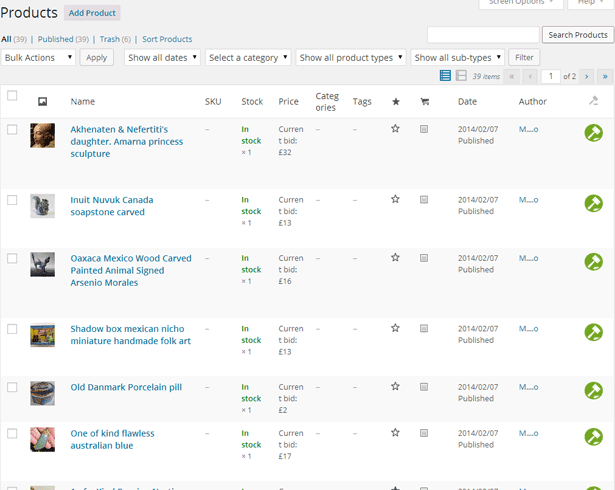
- Auction filtering and sorting in product list (wp-admin)
- Frontend auction sorting by current bid, date, buy now price, activity, ending date (ending soonest), start date (recently started)
- Auction product list has icon which describes different auction status: active, finished, finished and paid, failed (wp-admin)
- Auction activity (shortcode), auction watchlist feature (shortcode and widget)
- Auction history in wp-admin – history export in CSV or Excel
- Ajax live updating for current bid and auction history
- Make auction from virtual or downloadable products
- Option to manually delete bid
- Manual or automatic (for failed and unpaid auctions) auction relist
- WPML compatible, PO file available for translations in plugin’s language folder
- Role based bidding & Verify Payment method (via extension) – enable specific user role (for example “customer” role) to bid
- Enable users to create and submit their auctions and you as site owner can charge a fee (via multivendor plugin)
- Cronjobs recommended – if your host does not support 1 minute cronjobs you can use 3rd party cron service like easycron
- WooCommerce API support – read tutorial
- Create Auction Lots – read tutorial
- Display any part of single auction template using shortcode [wsa_templates template=”countdown”] – refer to documentation, extremely usable with any visual builder
Simple Auctions and WooCommerce multivendor setup
WooCommerce with multi vendor plugin enables you to have your own marketplace where your sellers publish their products for sale and you can earn commision from each sale made by seller. We can suggest Simple Auctions + Dokan Starter + Dokan Auction Integration as tools to create multivendor store with frontend auction product submission from vendor / store dashboard.
- Simple Auctions works with WooCommerce Product Vendors
- Simple Auctions works Dokan multivendor
Screenshots:
Changelog:
** Version 3.0.10 **
- Fix: autocharge bug when winner was different than auction publisher
- Add: Keep paid orders intact and fail only unpaid orders upon auction relist
- Add: Save past orders on relist and display them in the admin auction metabox
- Fix: security revision and database query hardening

** Version 3.0.9 **
- Fix: email template auction closing soon
- Fix: Stripe autocharge compatibility
- Fix: translations
- Fix: buy now winner
- Add: Stripe order filter

** Version 3.0.8 **
- Fix: email templates

** Version 3.0.7 **
- Add: suppported versions for Woo
- Fix: security revision and additional hardening

** Version 3.0.6 **
- Add: email previews
- Fix: decprecated and warning messages

** Version 3.0.5 **
- Fix: autocharge credit card
- Fix: autocharge charge shipping fee
- Fix: add watchlist link in Elementor
- Fix: RankMath support for base page
- Fix: end message in product loop
- Fix: cron check
View complete WooCommerce Simple Auctions change log here. Make sure to read documentation and check our demo.