Description
InMillion Web Traffic Generator
The most popular Windows software to send unlimited web traffic to unlimited websites, with any automated task you may need: Auto Click, Auto Proxy, Google Maps, Bounce Rate Control and much more.
The traffic that understands you

English, French, Spanish, German, Italian, Hindi, Thai, Indonesian, Arabic, Turkish, Russian, Portuguese, Swedish, Bengali, Urdu, Hausa, Dutch, Polish, Vietnamese and Romanian.
Try before you buy:
Understand the difference between the IMA editions, or to try them for free:
Mini, Hyper and Studio.
Compare Editions
Discover all the “Hyper edition” features:
This application lets you send millions of visits to your websites in a single click,
with the ability to customize each visit using a huge variety of options like: Browser, Operating System, Device, Version, GEO Location and many more.


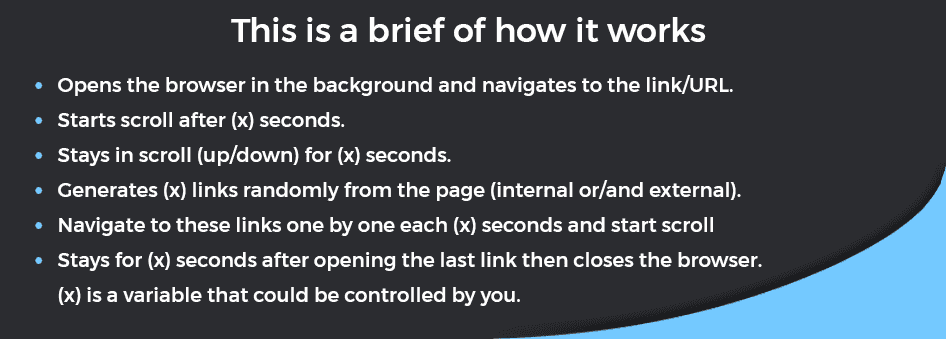
Note: the random links feature is a part of the
Bounce Rate add-on, which is an optional add-on
and needs a separate license if you want to install it. However, it is available to try for free.
 this video
to learn more about Auto Events
this video
to learn how Custom Clicks work
⇒
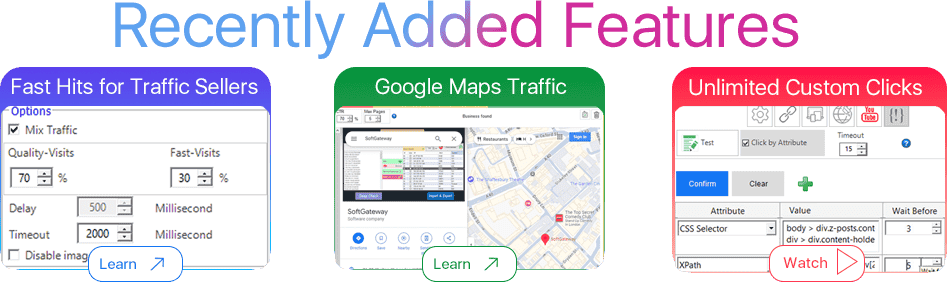
Interested in sending large quantities of fast hits? Discover:
Fast Hits for Traffic Sellers
Add-on
⇒
Drive Unlimited Search Traffic from Google Maps:
Google Business Maps Traffic
Add-on
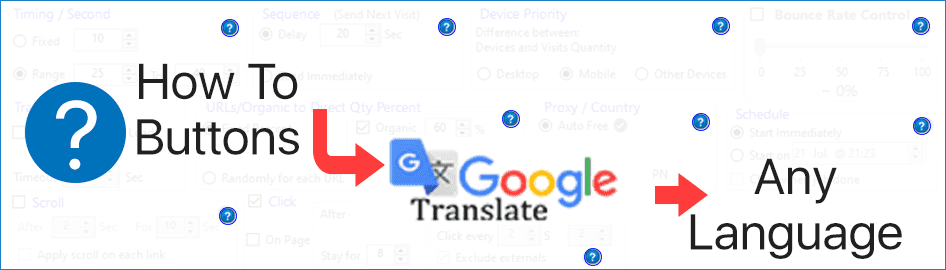
Another language? No worries.
There is a Help button (How To) for each feature, process or action,
with an Auto Translate button to your local language.
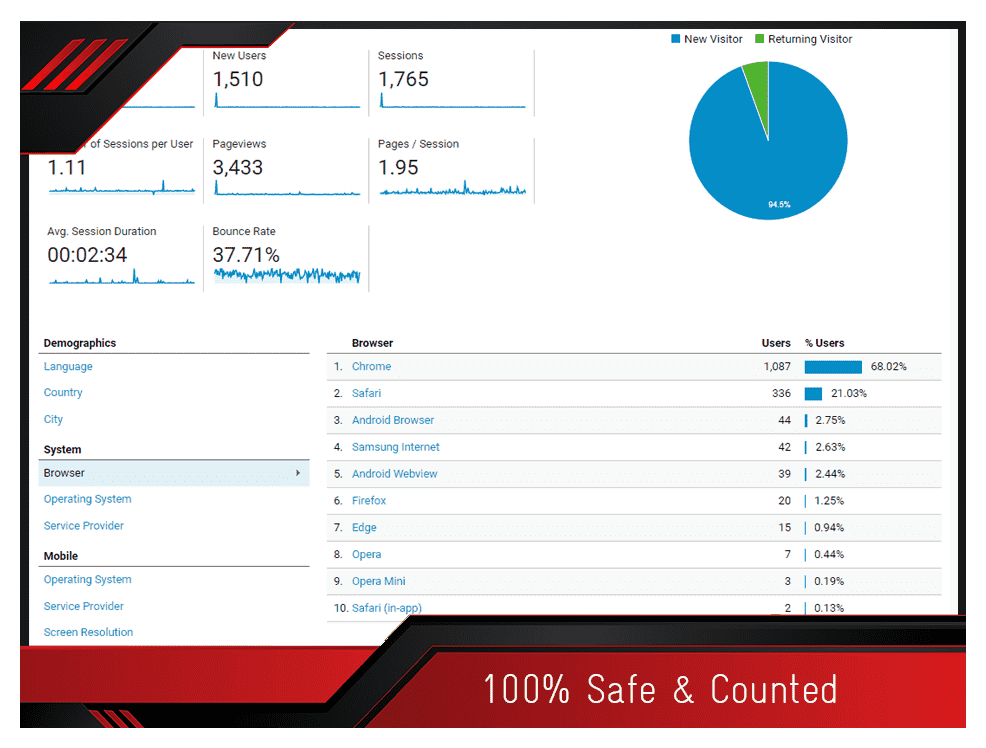
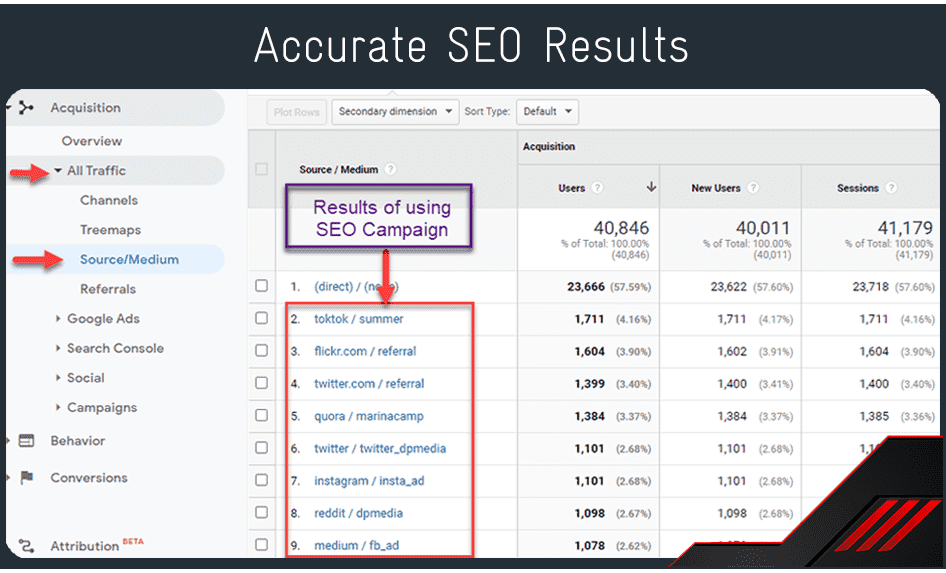
With Web Traffic software, you can see something like this in your Google Analytics
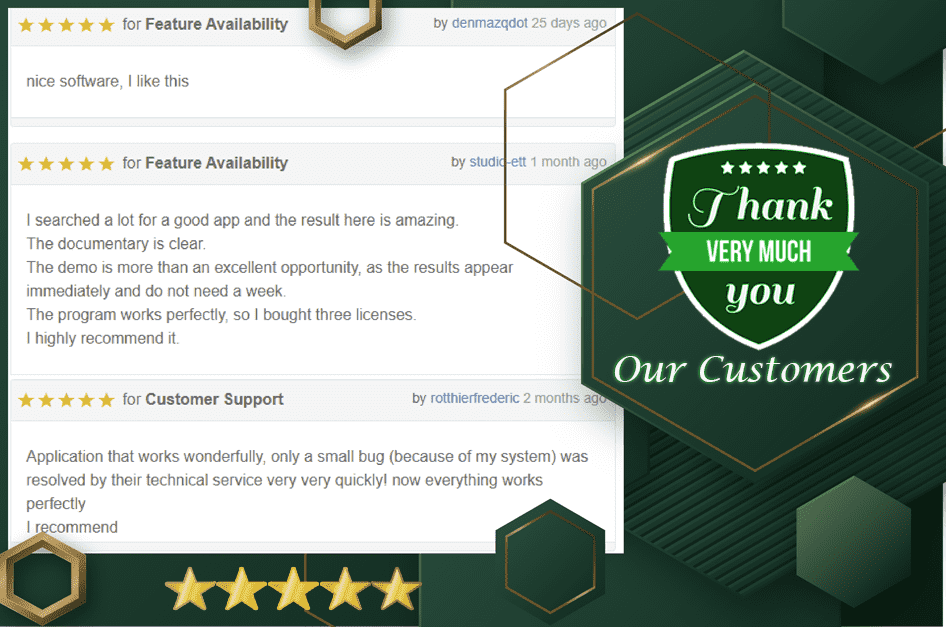
Thanks to our users, your Satisfaction is always Guaranteed.
Features:
NOTE: this software is made to improve your website SEO, boost your pages’ rank, and save your time, effort and money. It is not for advertisers or CPC/CPA websites. You can use it to improve your website rank, or to sell traffic to your customers.
We guarantee the traffic is fully safe and efficient with: major consoles, Bing, Google, Google Analytics, Matomo, Ahrefs, Alexa, MixPanel, or any Search Engine, Analytics or Ranking platform.
It is Fully Safe to send traffic to any website that runs AdSense or any
other ads platform, but without external clicks.
Please read this article: How to keep your AdSense account safe
So, what is the use of the “Exclude/Include externals” option if you do not encourage external ads clicks?
This option is one of the most powerful features. It increases backlinks for your website or your clients’ websites, because it sends unlimited clicks to any backlink on your website. If you don’t know how backlinks affect SERPs and keywords,
google it.
Your license comes with a free lifetime web account. With this account, you can manage your license or move it to any computer at any time, by yourself.

Unlimited Guaranteed Real Visits, Not Hits

GEO Location: each visit is sent from a different IP.
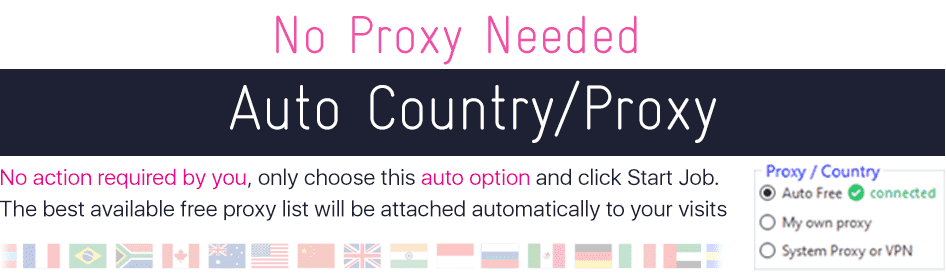
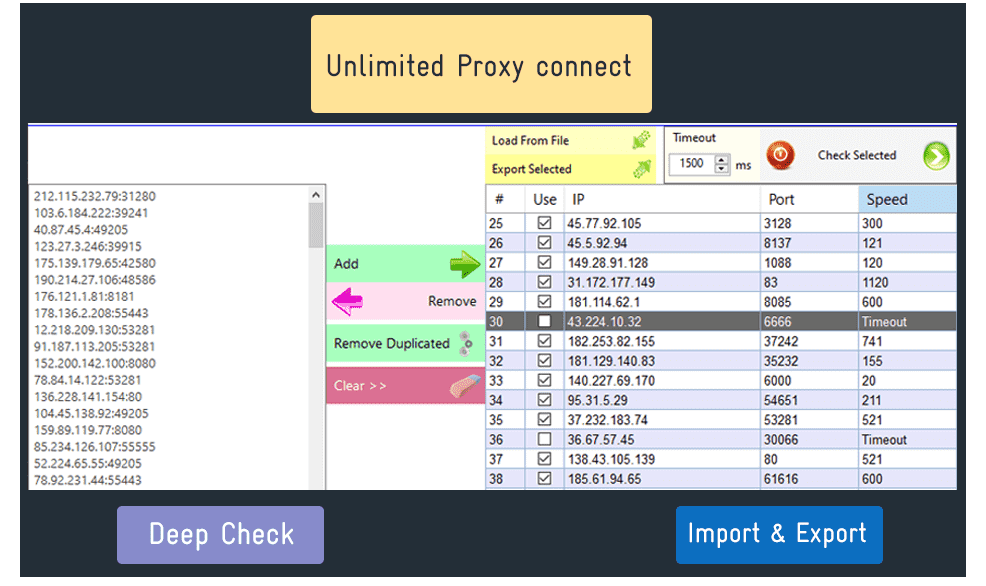
Ability to add unlimited IP/Proxy from your own resources.
Checking proxies before sending, with a timeout setting:
Auto deactivate expired proxies.
Ability to export the clean ones to a text file.
SEO Campaigns customization.
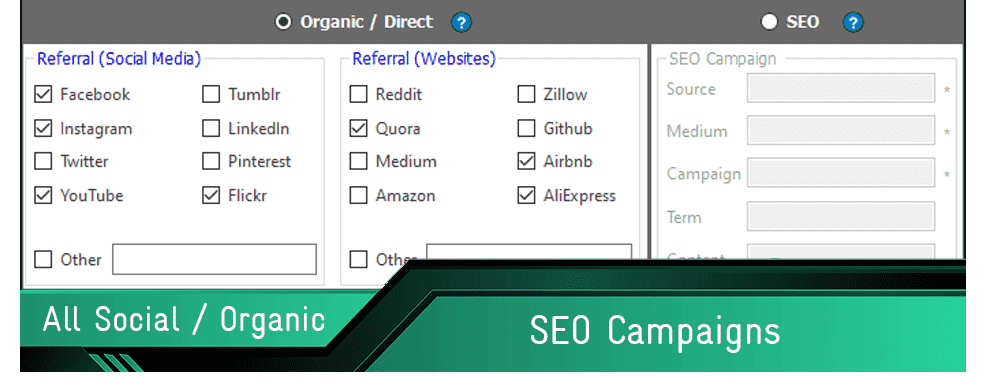
Major social networks and website referrals are included.
Ability to add your own referral websites.
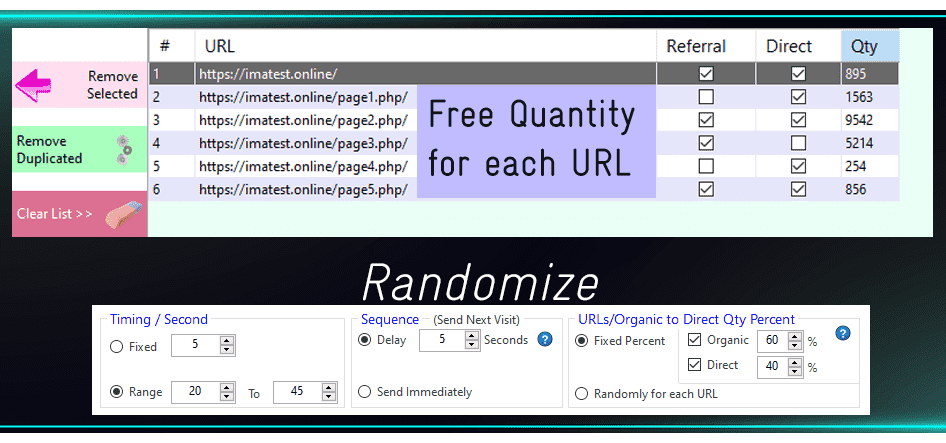
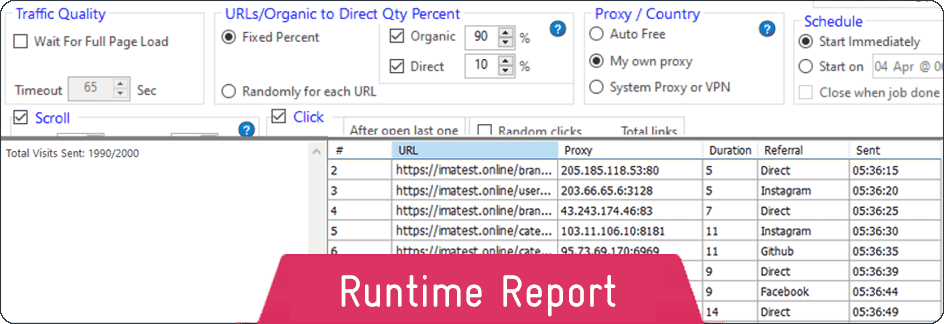
Control Organic and/or Direct sending for each URL.
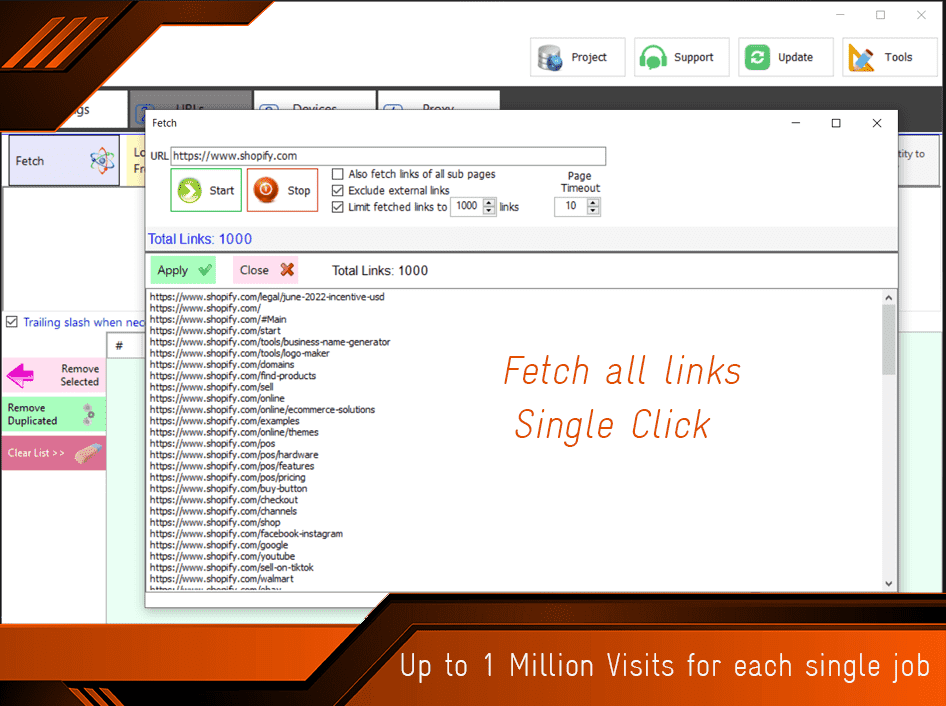
Send up to 1 million visits in a single job.
Add up to 1,000 URLs for each job.
Fetch all site URLs in a single click.
Send visits to many websites at the same time.
Ability to control the quantity for each URL, with Referral/SEO and/or Direct sending.
Distribute quantities between SEO/Referral and Direct visits, with a fixed or random percentage.
Set the visit duration with fixed or random values.
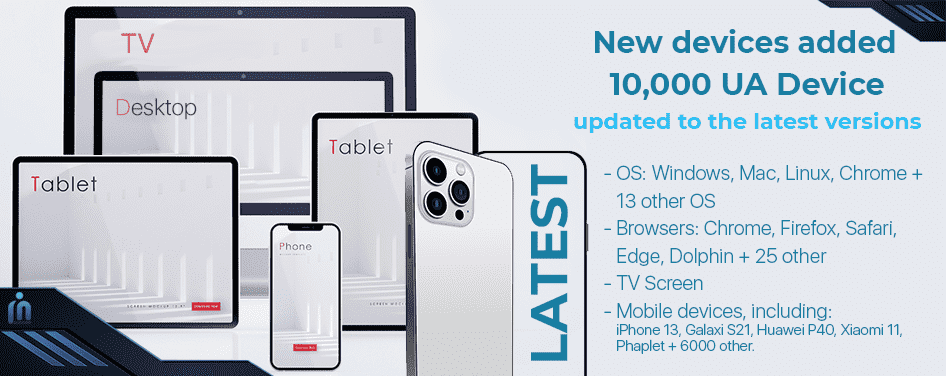
Auto set the priority for devices: Computer, Mobile, and Other Devices (Screen, Car, Server, Game Console) and more.
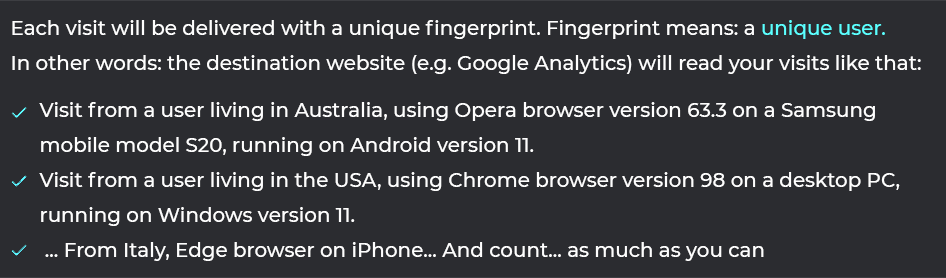
10,000+ user agents included, which means:
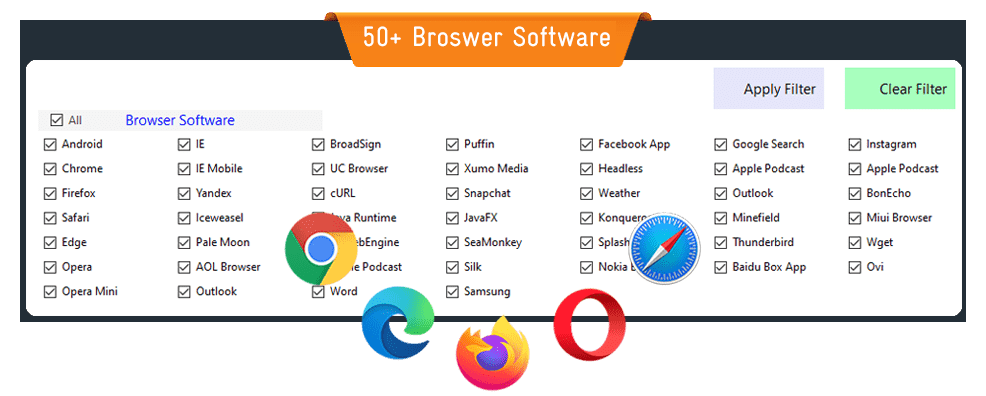
Control the browser type (Chrome, Firefox, Safari, Opera, Yandex and 50+ more).
Control the attributes: Device type & model, Software, Versions, OS and more.
Ability to set a quantity for each user agent.
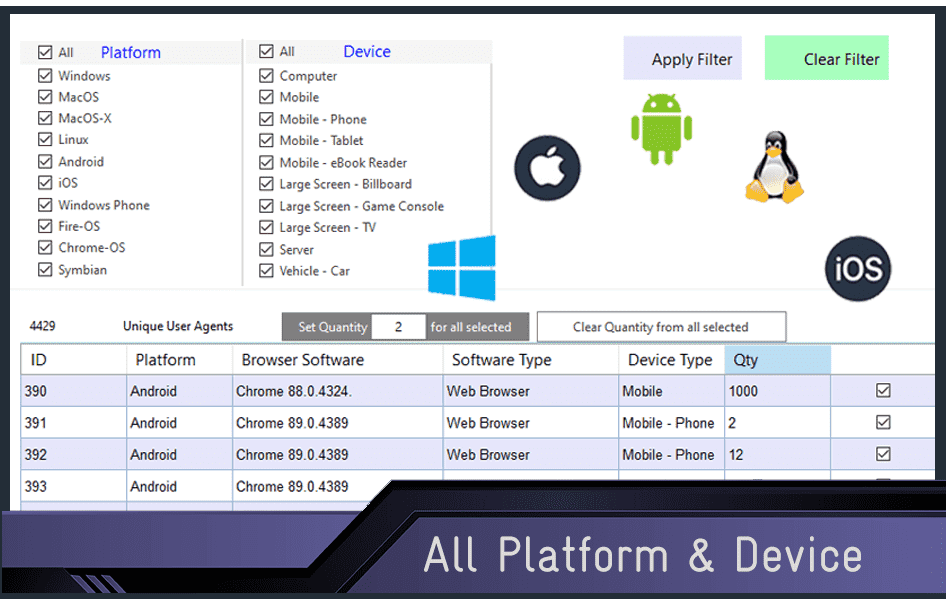
Detailed report while sending.

100% friendly, safe, and counted by Google Analytics, Webmaster consoles, Matomo or any other software.
Using Selenium power and security.
Auto detect and change the engine driver to match your Chrome version.
Frequent free updates with a single click:
You can update your software from inside the app; you don’t need to download a new package and install it.
Just click the Update button, and you will see a confirmation message to update if a new release is available.
Contact support from inside the software.
Instant Activation
Once you install this software, you can start using it immediately.
Requirements:
-
RAM Minimum 4 GB
-
CPU Minimum Intel Core i3 6th gen / AMD A4 / Ryzen 3 – clock speed 2.10 GHz
-
Windows 10, 11, Server 2016 and higher
-
Google Chrome installed on your system (any version)
-
MS .NET Included with the installation package:
—.NET Desktop Runtime 8
Do you have an old PC?
If your PC specs are 8 GB RAM or higher, and a 6-core / 6th gen CPU or higher, you can ignore this note.
For an old or low-spec PC (4 GB RAM and an old CPU generation), we recommend that you increase the delay value (in the Sequence group) to at least 20s,
and decrease the visit duration, e.g. 25 – 35s,
especially if you want to use the full functionality of this app, like:
1- Auto Scroll 2- Click on page 3- Random links 4- Bounce Rate.
Features 1 & 2 are included by default, but the 3rd one requires the Bounce Rate add-on to be activated.
These features need more RAM and CPU, because they run a lot of actions in the background.
Need help to set up Google Analytics?
To see and analyze the visits on your website, you need to install an analytics software on your website, like Google Analytics. Read how to
Use Analytics on your website.



Helpful Resources:
All Videos
Articles / How To
Keep in touch:
YouTube
Facebook
WhatsApp
Telegram
Changelog:
This software automatically updates its web engines, fingerprints, and scripts to the latest versions. Listed below are the main improvements to its structure and features:
— V 3.0.2 Released: 1 Sep. 2026 —
- Update Web Driver Engines.
— V 2.9.49 Released: 7 Jun. 2026 —
- Matching new Selenium proxy approach.
— V 2.9.48 Released: 4 Jan. 2026 —
        - Add new free proxy servers.
        - Update all add-ons.
— V 2.9.47 Released: 15 Sep. 2025 —
        - Update Web Driver.
        - Update Fast Hits Add-on engine.
— V 2.9.46 Released: 2 Jul. 2025 —
        - Improve "Fetch Site" function.
        - Improve Urdu language translation.
        - Update Selenium.
        - Improve "Google Maps" CTR.
        - Update "Zero Bounce Rate" scripts.
        - Reduce "Fast Traffic" memory size.
— V 2.9.45 Released: 16 Mar. 2025 —
- Speed up "Click By Attribute" process.
— V 2.9.44 Released: 22 Feb. 2025 —
- Improve Google Maps scripts.
— V 2.9.43 Released: 15 Feb. 2025 —
- Fix a compatibility issue for Edge 133 with some Windows updates.
— V 2.9.42 Released: 2 Feb. 2025 —
        - Update Selenium.
        - Improve Swedish & Urdu language translation.
— V 2.9.41 Released: 20 Jan. 2025 —
        - Upgrade frameworks to .NET 8.0
        - Update Google Maps scripts.
— V 2.9.40 Released: 4 Jan. 2025 —
        - Add more interface languages.
        - More options for the Free Browser control panel.
        - Update Selenium.
        - Improve In-Hold mode process.
— V 2.9.39 Released: 24 Nov. 2024 —
        - Add "Random Delay" option to Google Maps.
        - Improve German & Arabic language translation.
— V 2.9.38 Released: 16 Nov. 2024 —
        - App Doctor: Auto check, fix & update.
        - More options for the Free Browser control panel.
— V 2.9.37 Released: 4 Nov. 2024 —
        - Improve Google Maps proxy connection.
        - Add Options >> Set Homepage.
        - Add Options >> Set proxy test website.
        - Update Selenium.
— V 2.9.36 Released: 15 Oct. 2024 —
        - Add Google Maps Search Traffic.
        - Add a free separate browser to the interface.
— V 2.9.35 Released: 2 Sep. 2024 —
- Fix "Auto Click" compatibility issue with Edge v128 sandbox.
— V 2.9.34 Released: 26 Aug. 2024 —
        - Fix compatibility issue with Edge v128 sandbox.
        - Add "Run Infinitely" option.
        - Add "Fetch Sitemap" option.
        - Update Selenium.
— V 2.9.33 Released: 27 Jun. 2024 —
        - Optimize Startup Time.
        - Implement real browser testing for premium proxy.
        - Update Selenium.

        Fast Hits Addon:
        - Increase Visit Duration.
        - Reduce Bounce Rate.
— V 2.9.32 Released: 22 May 2024 —
- Add more options to manage cached services in Task Manager.
— V 2.9.31 Released: 12 May 2024 —
        - Improve Fast Hits Add-on performance.
        - Update Selenium Webdriver.
        - Update free proxy servers.
— V 2.9.30 Released: 4 Apr. 2024 —
        - Improve Ad-Blocker.
        - Improve Fast Hits Add-on performance.
— V 2.9.29 Released: 24 Mar. 2024 —
        - Add Ad-Blocker to Links tab.
        - Improve engagement time.
— V 2.9.28 Released: 11 Mar. 2024 —
        - Improve Fast Hits Bot.
        - Fix Unicode process-health bug.
— V 2.9.27 Released: 10 Feb. 2024 —
        - Add [Unlimited Clicks by Attribute] in Developer tab.
        - Improve Turkish language translation.
        - Update Selenium web engine.
— V 2.9.26 Released: 31 Jan. 2024 —
- Release the 1st stable version of: Fast Hits Bot Add-on for Traffic Sellers.
— V 2.9.25 Released: 9 Jan. 2024 —
        - Improve Fast Hits Bot (Beta).
        - Add more free proxy servers to Auto Scrape.
— V 2.9.24 Released: 1 Jan. 2024 —
        - Improve Fast Hits Bot (Beta).
        - Fix error "vc140runtime" with Edge.
        - Update "Fixed Chromium engine".
        - Add "Random Delay" option to Settings.
        - Improve Arabic language translation.
        - Add more free proxy servers to Auto Scrape.
— V 2.9.23 Released: 15 Dec. 2023 —
        - Add Fast Hits Bot (Beta).
        - Update Selenium web engine.
        - Separate "Click on page" & "Random clicks" options.
        - Add "Pop Out" option to the Runtime report.
— V 2.9.22 Released: 31 Oct. 2023 —
        - Add Microsoft Edge web engine.
        - Improve Devices' process.
        - Define Multiple Keywords in the same job (SEO >> Terms).
        - Improve Hindi language.
— V 2.9.21 Released: 4 Sep. 2023 —
        - Ability to add any customized web engine.
        - Improve performance.
        - New option to control the -Hold- process.
— V 2.9.20 Released: 22 Aug. 2023 —
        - Update Chromium engines.
        - Improve Auto Engine Update process.
        - Improve performance.
— V 2.9.19 Released: 10 Aug. 2023 —
        - Update Chromium engines.
        - Add Timeout option to the Fetch website window.
        - Change Chrome Auto Update process for v115 and later.
        - Update user agents to the latest devices.
        - Improve German language translation.
        - Fix bug of YouTube short videos analysis.
        - Release 2 - Date 18 Aug. 2023:
        --- Improve Auto Engine Update process.
        --- Improve performance.
— V 2.9.18 Released: 23 Jun. 2023 —
        - Change frameworks to Microsoft .NET 6.
        - Update Chromium engines.
— V 2.9.17 Released: 15 Apr. 2023 —
        - Update YouTube Views.
        - Improve web account.
— V 2.9.16 Released: 30 Mar. 2023 —
        - Improve web account.
        - Improve Performance.
        - Improve Indonesian language translation.
— V 2.9.15 Released: 18 Mar. 2023 —
        - Update built-in driver engine.
        - Add latest mobile & iOS user-agents.
        - Improve referring process.
        - Decrease startup time.
— V 2.9.14 Released: 28 Jan. 2023 —
        - More Interface languages: Arabic and Turkish.
        - Improve Hindi language translation.
        - More resources for Auto Free proxy.
        - Fix "Type mismatch" for older version projects.
— V 2.9.13 Released: 11 Jan. 2023 —
        - Multi-language Interface: English, French, Spanish, Deutsch, Italian, Hindi, Thai and Indonesian.
        - Increase maximum YouTube view duration to 7200s (2 hours).
        - Fix minor bug with schedule options for Hindi long-date format.
— V 2.9.12 Released: 14 Dec. 2022 —
        - Improve YouTube stability on RDP machines.
        - Extend Chrome memory from disk drive to improve performance.
        - More options to maintain resources and temp files (Options >> Settings).
— V 2.9.11 Released: 24 Nov. 2022 —
        - Ready to operate YouTube Views.
        - Improve On-Hold Resources option.
— V 2.9.10 Released: 6 Nov. 2022 —
        - Improve Auto Google Translation for help buttons.
        - More options for Auto Proxy Scrape.
        - Add On-Hold option to balance traffic sending.
        - Update Webdriver Engines.
— V 2.9.9 Released: 16 Sep. 2022 —
        - Improve Performance.
        - Improve premium proxies stability.
        - Improve [Fetch Website] to unlimited links.
        - Update Webdriver Engines.
— V 2.9.8 Released: 13 Aug. 2022 —
        - Unlimited custom referrers.
        - Update Webdriver Engines.
        - Fix minor bug with Dutch (Belgium) format.
— V 2.9.7 Released: 27 Jul. 2022 —
        - Improve License Switching.
        - Improve Reports.
— V 2.9.6 Released: 14 Jul. 2022 —
        - Multiple premium proxy credentials.
        - Improve licensing system.
        - Improve Google Translate.
— V 2.9.5 Released: 02 Jul. 2022 —
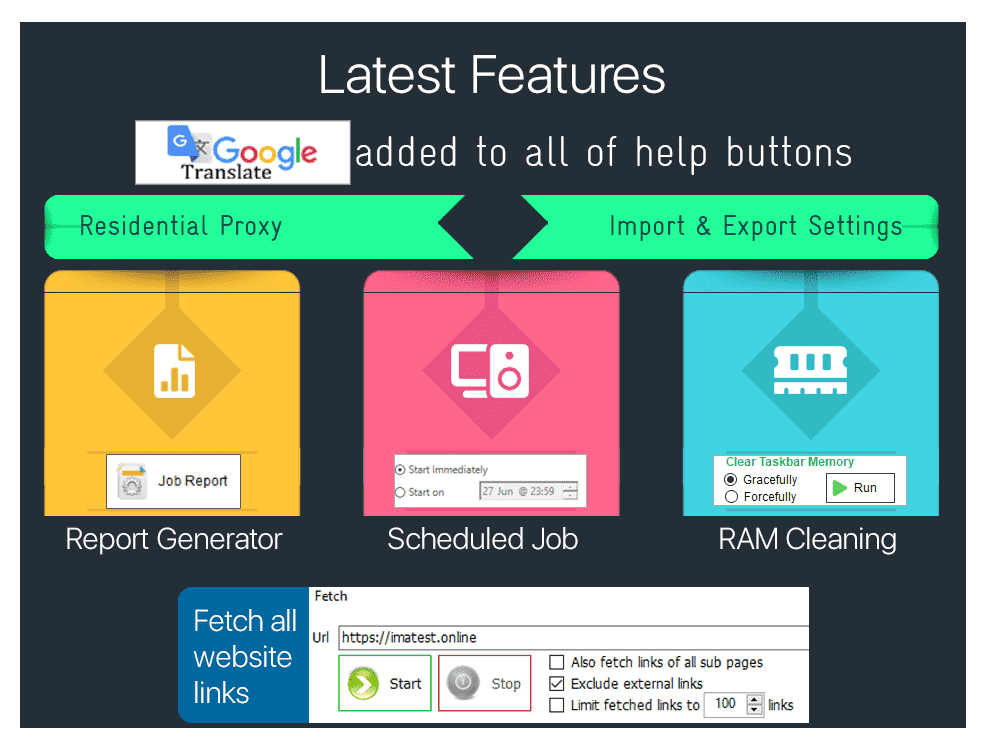
        - Add Google Translate to all help buttons.
        - Fix minor bug in engines updater with French language.
— V 2.9.4 Released: 14 Jun. 2022 —
        - Schedule jobs.
        - Option to close when job processing is done.
        - Fix minor bug in Proxy rows selection.
— V 2.9.3 Released: 08 May 2022 —
- Minor update for performance.
— V 2.9.2 Released: 01 May 2022 —
        - Add Quick Job to the home page.
        - Improve Import/Export settings.
— V 2.8.9 Released: 10 Apr. 2022 —
        - Add an option to apply scroll on all links.
        - Add an option to include the external links.
        - Fix a minor bug about irregular domain extensions.
— V 2.8.8 Released: 07 Apr. 2022 —
        - Fix two issues that appeared with version 2.8.2:
        -- Bounce Rate crash.
        -- .NET crash with Chrome 100.
        - Export report to CSV or text file.
— V 2.8.2 Released: 01 Apr. 2022 —
        - Improve Performance.
        - Unify .NET for all system types.
— V 2.8.0 Released: 20 Mar. 2022 —
        - Residential / Backconnect Proxy supported.
        - Save and Restore job settings.
— V 2.7 Released: 22 Feb. 2022 —
        - Send Auto Scroll Up/Down with parameters: Start & Duration.
        - Send a random click to the page, on the body or a link.
        - Send random clicks with parameters.
        - Trailing Slash is now optional.
        - An ability to reset the license.
        - Ready for Windows 11.
        - Minor bugs fixed.
— V 2.6 Released: 08 February 2022 —
        - New feature: Auto Scrape Free Proxy.
        - Update device browsers & systems to the latest versions.
        - Increase user agents to 10,000, including latest mobile models.
        - Extend the fetch URLs text area to unlimited.
— V 2.5 Released: 10 January 2022 —
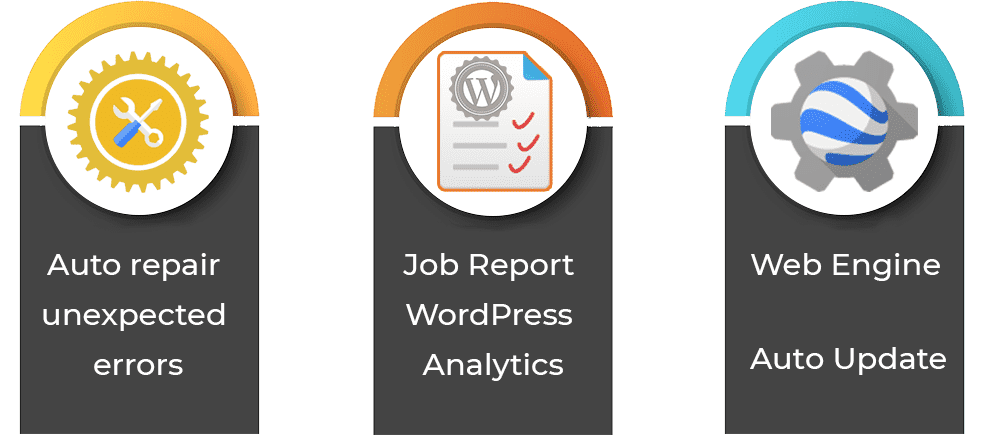
        - New form for job testing on WordPress & PHP pages.
        - Auto updater for web engines.
        - Auto fixing for unexpected errors.
        - Bounce Rate: More accurate results.
        - Boosting RAM & cleaning cached jobs.
        - JSON add-on file changed.
        - Bug fixes for moving license on Windows 7.
        - Ability for a partial update.
        - All support buttons are now combined in one Support button.
— V 2.4 Released: 20 December 2021 —
        - Bounce Rate: More accurate results.
        - Boosting RAM & cleaning cached jobs.
        - SEO Campaign improved.
        - Fetch subpages of a website.
        - Ability to limit total fetched links.
        - Include / Exclude external links in a website.
        - Decrease launch time.
        - Performance optimized.
        - Auto report generator for support.
        - Trailing slash fixed.
        - Minor bugs fixed.
— V 2.3 Released: 18 November 2021 —
        - Ready to operate the Bounce Rate add-on.
        - Works with any locale region.
        - Improve performance.
        - Ability to transfer the license to another PC.
        - Update documentation.
        - Make licensing even easier.
        - Increase trial version to 7 days.
        - Minor bugs fixed.
— V 2.2 Released: 15 October 2021 —
- First release on CodeCanyon.