Description


Demo Instructions
You can test the app before you buy:
- Android app:
Google Play - Web demo:
https://cirilla.appcheap.io
To test the account, cart and checkout screens, open the app, go to the account (profile) screen, tap Login
and sign in with:
- Username: demo
- Password: demo
About Cirilla App
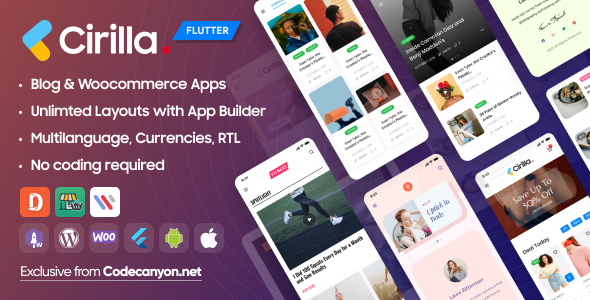
Are you looking for a multi-purpose app with rich functions and top code quality where you can design your own
template layouts or want to import pre-built demo layout templates directly into your app and can change design
anytime
you want? An app where you can create many different app types such as: single shop WooCommerce app, food app,
radio and podcast, Cosmetic shop, grocery shop, beauty app, news & magazine and many other type apps?
Then we introduce you with our multi-purpose Cirilla app where you are your own boss. We have spent more than
4000 hours developing, designing and planing so you can configure your app and publish it in very short time.
Cirilla is
for people with zero coding, developers and agencies who wants to save time and money by providing their clients
with top quality apps. Cirilla gives you more power and control over your app and it comes with an App Builder
plugin
where you design and change your app designs without needing to re-publish to app stores.
– Work latest Flutter v3.47.x
– Version 4.3.6 – Update 23 Nov 2026 – Changelog
– Licensed through Envato Market: Regular and Extended licenses
– Full Flutter source code, with free item updates from your Envato downloads page.
– Compatible with the latest WooCommerce and WordPress versions.
Exclusive Cirilla app plugins (Free)


Exclusive Cirilla app add-ons


– What is a build cloud service? Instead of downloading and setting up the Flutter
environment on your computer to build the app, You can build directly from the web. In this service, we will
charge a fee and not include it when buying the item. See all pricing options
Check out the video now and see for yourself how easy it is to build an app with build cloud:
Video build Android
Video build iOS

App Builder templates
Instead create a new template we pre make some templates for the user to import and edit, it saves many
times for configuration.

App Builder
– App builder works the same popular Page Builder in WordPress but it has a special UI/UX
for your easy configuration/previews mobile app.

Create Multi – Purpose App

Location

Notification

Support Post format

Vendors widget

Detail Multi Vendors

Design Post single

Create Multiple Custom Screen & Tabs Screen

Post Latest widget

Post Tab widget

Builder Widgets and Counting

Theme creative on the fly

Category screen

Product List Screen

03+ Refine Layout Style

Product Detail Builder

Product Detail

Sidebar Menu

Presets layout Login / Register Screen

Contact Screen

Multiple Languages

Payment Gateways via Webview

Support Dark Mode

Source Code

We don’t collect any data

The app does not collect or send personal data about you or your customers to us (it only loads a default
placeholder image from our CDN, cdn.rnlab.io, which you can change). Services you turn on (for example
Firebase Analytics, push notifications, AdMob or social login) send data to your own accounts with those
providers, so list them in your app’s privacy policy and in the store privacy forms.
File Included

Save 4000 Hours

For Agency

For Developer

For People Zero Coding

What is in the download
- Full Flutter source code:
app/cirilla(main app),app/cirilla_ads(the same app with
AdMob ads),app/ui(shared UI kit) andapp/gutenberg_blocks. - 8 App Builder add-on plugins for WordPress (
wp_plugin_addons/) and 2 demo templates
(templates/). - Offline documentation in
guide/docs.html(alsoguide/guide.md): installation of the
WordPress backend and the app, API connection, third-party services, branding, release builds and
screenshots. - The App Builder plugin is free on WordPress.org and is not inside the zip.
The demo apps and screenshots use demo products, photos and texts for preview only. They are not included in
the download.
Requirements and third-party APIs
- Flutter 3.47.x, Android Studio (JDK 17 or newer) and, for iOS, a Mac with Xcode.
- A WordPress site using the WordPress REST API,
with App Builder (required) and, for a shop,
WooCommerce and the WooCommerce REST API. - Optional services, each set up with your own account and keys:
Firebase Cloud Messaging and
Firebase Analytics,
Push Notification plugin,
Google Maps Platform (maps, places, geocoding),
Google Sign-In,
Facebook Login,
Sign in with Apple,
OpenAI API (ChatGPT widget),
Google AdMob (cirilla_adsonly) and
AppsFlyer (deep links, off by default). - Multi-vendor marketplaces: Dokan, WCFM or MultiVendorX (WCMp).
Cirilla App KEY FEATURES
-
Cart:
Cirilla app cart feature is a convenient and flexible way to shop online. Users can sync their carts with WordPress WooCommerce, edit their items and coupons, calculate and choose their shipping options, and merge their carts as guests or registered users.
[detail] -
Video Shopping:
The Video shopping feature allows you to create a screen where users can scroll through videos like Tiktok or Youtube shorts and buy your products. This feature includes: Play/ Pause video, Share video, Like video, Buy product, Custom title, description, Play video randomly.
[detail] -
Query Data Selector:
is a feature that allows you to easily access and manipulate data nested in product or post data. With Query Data Selector, you can use simple expressions to select, filter, and transform data from any product or post data. Whether you want to extract specific values, apply methods, or join multiple data sets, Query Data Selector can help you achieve your goals with minimal effort and maximum flexibility. After selecting and filtering the data, you can display the results on labels or images to create dynamic and interactive user interfaces.
[detail] -
Dynamic Product List Layout:
With this feature, you can create multiple product layouts in the product list screen and customize each product item according to your preferences. You can choose from two layout options, grid or list, and select from eight different product item template layouts for each layout option, such as Contained, Horizontal, Emerge, or Overlay, and apply them to your product items. You can also configure the image, name, price, rating, and other elements of each product item, and hide or show them as you wish. You can also show custom data in widget areas above the name, price, or rating of each product item.
[detail] -
Google fonts:
Google Fonts is a collection of over 1501 free fonts that you can use to customize your app’s look and feel. With Cirilla app, you can easily choose and apply any Google Font to your app’s design. You can also adjust the font size, weight, style, and color to fit your needs. Google Fonts support for Cirilla app gives you more options and power over your app’s appearance and branding. You can create an app that shows your style and vision with the help of Google Fonts. To learn more about how to use Google Fonts on Cirilla app, you can check out the documentation or watch the video tutorial.
[detail] -
Profile screen:
The Profile screen feature of Cirilla app allows you to create a stunning and personalized profile page for your app. You can choose from four pre-designed templates that offer different layouts and styles for your profile. Each template has three layout sections that you can customize with dynamic links, text, and icons.
[detail] -
Sticky Banner:
Sticky banner is a feature that allows you to display a pop-up banner on the top or bottom of your app screen. You can use the sticky banner to attract your users’ attention, promote your products or services, or announce important news or updates. You can also set an action for the banner, such as opening a link, a product page, or a coupon code.
[detail] - Chat realtime with store vendor video
- Dynamic config social link video
- Write product review with photo video
- Push notifications video
- Admob video
-
Biometric Authentication:
Biometric authentication is a way of checking who you are by using something that only you have, such as your fingerprint or your face. It is more secure than using a password or a card, because those can be stolen or forgotten.
[doc] - Add WC cancel order
- Add no internet
- Chat GPT widget
- Pickup Address From Map
- More
Cirilla App Plugin Integrations
Changelogs
        v4.3.6
        - [Update] AdMob (cirilla_ads): Google Mobile Ads 9.2.0
        - [Update] Package ships placeholder API keys only
        - [Update] Offline guide: project structure, API keys, privacy and data, credits
        Detail: https://appcheap.io/changelogs-cirilla-v4-3-6/
        v4.3.4
        - [Upgrade] Flutter SDK 3.47.x
        And some minor bugs fixed and improvements
        Detail: https://appcheap.io/changelogs-cirilla-v4-3-4/
        v4.3.2
        - [Update] Security - App Builder REST API Authentication
        And some minor bugs fixed and improvements
        Detail: https://appcheap.io/changelogs-cirilla-v4-3-2/
        v4.3.0
        - [Feat] Upload Avatar
        - [Update] Flutter SDK 3.38.x
        - [Update] WC Order Cancel
        - [Update] Free shipping zone
        - [Update] Merge Cart
        - [Fixed] Error when deleting individual items in the notification list
        And some minor bugs fixed and improvements
        Detail: https://appcheap.io/changelogs-cirilla-v4-3-0/
        v4.2.9
        - [Feat] Gokiwik gateway
        - [Feat] Free shipping banner
        - [Feat] Show out-of-stock in product detail
        - [Feat] Display attribute images in the product detail slideshow
        - [Support] Flutter SDK 3.35.x
        - [Support] 16 KB memory page sizes for Android device
        - [Support] avif image
        - [Fixed] Remove Firebase Dynamic Links and replace them with Appsflyer
        - [Fixed] The issue is that when selecting a country, all the fields under “Shipping and Billing” are hidden
        - [Fixed] Pricing info display
        - [Fixed] Product description images loads on second try
        And some minor bugs fixed and improvements
        Detail: https://appcheap.io/changelogs-cirilla-v4-2-9/
        v4.2.8
        - [Feat] Phonepe gateway
        - [Update] Android 15 (API level 35)
        And some minor bugs fixed and improvements
        Detail: https://appcheap.io/changelogs-cirilla-v4-2-8/
        v4.2.7
        And some minor bugs fixed and improvements
        Detail: https://appcheap.io/changelogs-cirilla-v4-2-7/
Older versions: see the
full changelog history.