Sari la conținut
AssetQuarry

Bookly Group Booking (Add-on)

49,00 €

Important: This plugin is an add-on that requires the Bookly PRO plugin. View Bookly PRO. Bookly Group Booking (Add-on) allows clients to book appointments for multiple people at the same time. The add-on enables you to set the minimum and maximum capacity of the service…

Why it is worth it

A focused Bookly PRO add-on that adds group capacity to services and staff. It has a long track record, with over 5,000 sales and a recent update.

  • Lets several people book one slot
  • Capacity can be set per service and per staff member
  • Group bookings appear as one calendar appointment
  • Actively updated, last in November 2025
  • Live demo and documentation available
  • Requires the Bookly PRO plugin to work
  • Rating is based on only 18 reviews

Best for: Businesses already using Bookly PRO that run classes, tours or workshops with multiple attendees per time slot.

Affiliate disclosure: this product is sold on Envato Market. If you buy through our link we may earn a commission, at no extra cost to you.
  • 5,371 sales
  • 4.28 (18)
  • by Nota-info
  • Updated November 28, 2025

Description

Important: This plugin is an add-on that requires the Bookly PRO plugin.
View Bookly PRO.

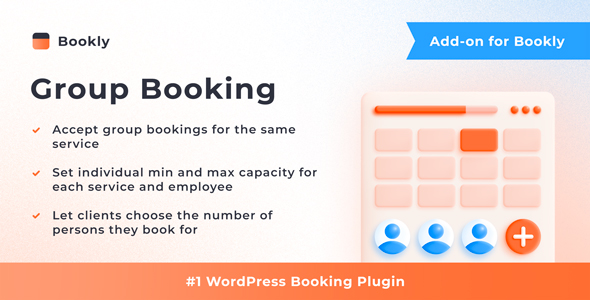
Bookly Group Booking (Add-on) allows clients to book appointments for multiple people at the same time. The add-on enables you to set the minimum and maximum capacity of the service and accept group bookings for the same appointment slot. In the Bookly booking form, clients can specify the number of people they are booking for, and Bookly ensures that the service provider can accommodate the group.

Features

  • Set individual service capacity
  • Set individual staff member capacity
  • Let customers decide for how many people they wish to book
  • Bookly calendar displays a group booking as one appointment with the quantity of signed-up customers
  • Show or hide information about group bookings in the booking form
  • Choose a format for displaying the time slot occupancy for group bookings

In the same way as all Bookly add-ons, the group booking feature seamlessly integrates with the Bookly PRO Appointment Booking and Scheduling Software System – the setup takes only a few minutes.

Read how to set up and use the Bookly Group Booking (Add-on) in our detailed documentation.

CHECK FREE LIVE BOOKLY DEMO

WATCH QUICK VIDEO TUTORIALS

Frequently asked questions

Can I use this add-on without Bookly PRO?

No. The author states that it is an add-on and requires the Bookly PRO plugin to work. Check the item page for the Bookly PRO details.

Can I set different group sizes for different services?

Yes. You can set the minimum and maximum capacity for each service, and you can also set capacity for individual staff members.

How do group bookings look in the calendar?

The Bookly calendar displays a group booking as one appointment together with the number of signed-up customers.

Does it work with WPML and current WordPress versions?

The item is listed as compatible with WPML and WordPress 6.8.x. It was last updated in November 2025; check the item page for the latest version notes.

Can I try it before buying?

A live demo of the group booking feature is available. Use it to see how the booking form and capacity options behave.