Description

MOBILE GROWTH FOR WORDPRESS
Your WordPress Website. Your Android App. Your Brand.
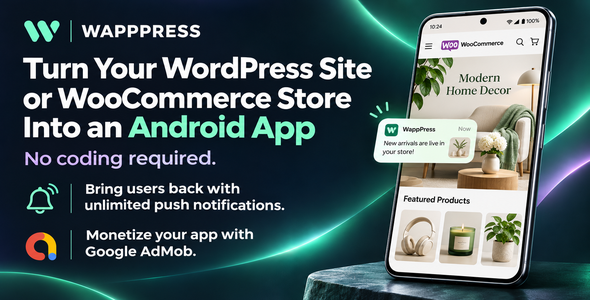
Turn your existing WordPress website into a professional Android app. Keep your content synchronized, engage users with unlimited push notifications, and monetize with Google AdMob — all without coding.


Bring customers back
Send a custom notification when a flash sale starts, a new collection drops, or an article goes live.

AI Push Notification
Write a first draft for a sale, product launch, or new article with AI assistance. Refine the message in your brand voice before sending it to app users.

Update once in WordPress
Publish and update content from the dashboard you already use. Keep your app current without maintaining a second copy.

Make the app yours
Give customers a familiar experience with your own icon, splash screen, theme, and dedicated app homepage.

Monetize with AdMob
Add in-app advertising as another way to support your content. Ad serving depends on your account, setup, and applicable policies.

Give your WooCommerce store a place on Android
Give shoppers a home-screen entry point to the store you already manage in WordPress.
- Showcase products. Give shoppers a way to browse your existing catalog and product pages in the app.
- Keep offers current. Update prices, products, and promotions through WooCommerce.
- Put a collection front and center. Use a shop or collection page as the app homepage.
- Bring shoppers back. Send unlimited push notifications for restocks, new arrivals, and flash sales.
- Choose automatic product notifications. Enable push notifications for new products and product updates in the custom push settings.
Test your store’s cart, checkout, and payment methods in the app before launch.
A shortcut makes your website easier to find. WappPress gives you a branded Android app, a way to bring users back with push notifications, and the option to run in-app ads.


Explore individual apps created with WappPress. Select an app below to visit its Google Play listing.
View Say The Word On Beat on Google Play
View Online Notary on Google Play
App links are provided for exploration. Store availability can change. Names and logos belong to their respective owners.
What CodeCanyon buyers say
Easy to set up
“The setup process was smooth, the interface is intuitive”
— romeninjas, CodeCanyon review excerpt
Built an app without technical experience
springtechforce, who works in sales, said they created an app for their website on their own.
Help with a Google Play issue
avysoft said the support team responded quickly and helped resolve an issue they encountered with Google Play.
Getting the app ready for Google Play
Found the app file straightforward to prepare and download. They found the separate Play Console upload more involved.
— Sherspot, CodeCanyon review summary
Customization and documentation
Praised the clear instructions, app design controls, and push notifications.
— ramuboddepalli, CodeCanyon review summary
Publishing their app
Thanked the WappPress team for helping them get their app published on Google Play.
— belfirmtech, CodeCanyon review summary
Getting a problem resolved
Reported that their issue was fixed and the app then worked as intended.
— futureplus-web, CodeCanyon review summary
Read the original buyer reviews on CodeCanyon
See WappPress inside WordPress
Manage your Android app build, branding, content preferences and notifications from WordPress.

Explore the live WappPress settings demo →
Configure your app, step by step
Watch the WappPress video demonstration
Enter your Android app details

The live demo offers .aab for Google Play submission and .apk for direct installation. Demo builds have limited-time validity for testing.
Choose your optional advanced settings

Configure automatic and manual notifications

Build / Generate App
After entering your app details and choosing the optional settings, use Build / Generate App. Follow current documentation for build, delivery and Google Play submission steps. Store approval is a separate review process.
Illustrated guides based on the live WappPress demo. Visit the demo for the actual interface.
What your purchase covers
- The WappPress WordPress-to-Android app builder under the Envato license you select.
- App branding and configuration features described above.
- Unlimited push notifications.
- No additional WappPress app build fees or renewal fees.
- Future updates and author support according to the current purchase panel and Envato terms.
Google Play developer registration, store submission, optional Envato support extensions and any third-party services are separate from WappPress build and renewal fees.
Questions before you buy
Are there app build or renewal fees?
No. WappPress does not charge additional app build fees or renewal fees. The plugin purchase and appropriate Envato license are required.
How many push notifications can I send?
There is no WappPress push-notification limit.
Do I need coding skills?
No coding skills are required to configure your app using WappPress.
Will changes to my website appear in the app?
Website content changes are reflected in the app. Changes to app-specific settings or Android platform requirements may require a new build.
Can I publish on Google Play?
Store registration and submission are separate steps. You need your own developer account and must meet Google’s current policies and review requirements. Approval is not guaranteed.
What do I need to get started?
An existing WordPress website. Theme-based layouts need a fully responsive theme. Review the current item details and documentation for supported versions, hosting requirements and the build process. Send your website URL and any custom integration requirements through the Comments or Support tab before purchasing if you need compatibility advice.
Does this purchase include iOS apps?
No. This listing is for Android. Our separate iWappPress product is offered for iOS and requires a separate purchase; review its current features and requirements.
Which license should I choose?
Review the Regular and Extended License terms on this listing and choose the license that covers your intended use. No renewal fees does not mean unlimited end products.
Where do I get help?
Use this item’s Support tab to contact the WappPress team. The purchase panel explains the current support period and any optional extensions.