Description
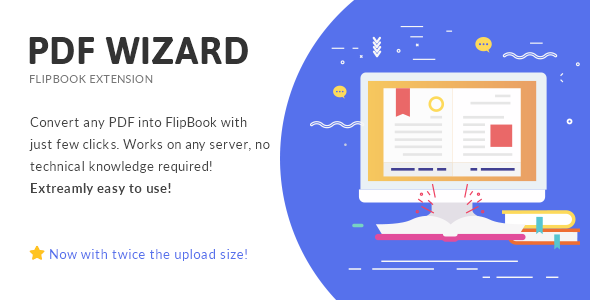
Convert any PDF to FlipBook with just few click. This is Responsive FlipBook Plugin extension which comes with: bookshelf, zoom, hard cover, lazy load and much more.
IMPORTANT NOTE: This plugin needs Responsive FlipBook Plugin in order to work.
With PDF Wizard – Responsive FlipBook WP Extension you will easily convert any PDF into a fully functional FlipBook with just few clicks. It works on any server, high resolution images for zoomed pages will be created for you automatically. The process is completely effortless and doesn’t require any technical knowledge. To see how easy it is just view our video presentation. This plugin only works with our Responsive FlipBook WordPress Plugin.

Why buy from us?
- we update our items on daily bases,
- we have over 18,000 happy customers,
- our previous flip book is second top selling items on ActiveDen ever,
- we give as much support as we can,
- we are available for freelance work,
Privacy Policy
The uploaded PDF file is not stored by MPC, it is automatically removed from our server after the conversion is made. We do not have any rights to use the PDFs for any purpose. The uploader is the only copyright owner.
Change Log
21/11/2019 - Version 3.2
Added:
 - Server error message when something goes wrong on book creating ( i.e. low max_input_vars )

Improved:
 - Support for variety of PDF files
 - WordPress 5.3 support
 - PHP 7.3.9 support

Updated:
 - PDF.js library to version 2.3.200

-------------------------------------------------
27/08/2019 - Version 3.1
Added:
 - Automatic updates, requires Flipbook 2.4.6 & purchase code added into Flip Books->License & Advanced Settings
 - Notice message in panel that extension requires base Flipbook plugin to work

Improved:
 - WordPress 5.2.2 support
 - PHP 7.3 support

Fixed:
 - Min number of pages lowered to 3
 - PHP notices index of undefined when first book is added from PDF conversion
 - Possible fix for text of undefined JS error

-------------------------------------------------
29/08/2018 - Version 3.0.3
IMPROVED:
- Security
- WordPress 4.9.8 support
IMPORTANT:
- In year 2019, we are dropping support for "PDF Wizard - Responsive Flip Book WP Extension" versions lower then 3.0.
Our conversion server will no longer be operating after 31.12.2018.
This means that converting PDF into Flipbook will not be possible while using versions older then 3.0.

-------------------------------------------------
17/08/2018 - Version 3.0.2
FIXED:
- Conversion UX adjusted to prevent processing the same file multiple times

-------------------------------------------------
26/06/2018 - Version 3.0.1
IMPROVED:
- WordPress 4.9.6 support
- Plugin translations
REPLACED:
- PDF files are no longer send to our server for conversion into images. The whole process is being made on user browser and server
- PDF To FlipBook Extension is using now PDF.js library
REMOVED:
- Quality settings before PDF conversion. PDF pages are converted now with original size and resolution
- 100MB PDF file size limit - since conversion is 100% made on user browser and server
FIXED:
- Incorrect color saturation after conversion for some PDFs
- 0KB images size in Media Library on some servers
- Script now better recognizes double and single pages
- Double / (slash) for plugin files location path

-------------------------------------------------
15/06/2016 - Version 1.3
IMPROVED: Default conversion quality
IMPROVED: Conversion performance

-------------------------------------------------

12/02/2016 - Version 1.2.1
IMPROVED: Increased default convert values
FIXED: Minor translation issues

-------------------------------------------------

23/06/2015 - Version 1.2
IMPROVED: Increased the maximum PDF size to 100MB
FIXED: Minor Fixes and Improvements

-------------------------------------------------

15/05/2015 - Version 1.1
IMPROVED: SSL Support
ADDED: Notification about blocked parameter: 'allow_url_fopen'
FIXED: Translations problems
FIXED: Images Import issue

----------------------------------------------------

24/04/2015 - Version 1.0
- Release
Need Support?
Thank you for purchasing one of our products, We really appreciate it! To get the best support possible please visit our support system. Emails, tweets and comments containing support question may be ignored, please use the support system.