Sari la conținut
AssetQuarry

Bookly Custom Fields (Add-on)

79,00 €

Important: This plugin is an add-on that requires the Bookly PRO plugin. View Bookly PRO. Would you like to collect additional information during the booking process? The standard required fields included in the default Bookly PRO booking form are the name, phone number, email address,…

Why it is worth it

A focused, well-established Bookly PRO add-on that adds flexible extra fields to the booking form. With nearly 7,000 sales and a recent update, it appears actively maintained.

  • Many field types, including conditional fields
  • Fields can be bound to specific services
  • Internal fields visible only to staff
  • Answers editable in the Bookly Calendar
  • Recently updated and WPML compatible
  • Requires the separate Bookly PRO plugin
  • Only 25 ratings, so the 4.6 average is a small sample

Best for: Bookly PRO users who need to gather extra client details before appointments.

Affiliate disclosure: this product is sold on Envato Market. If you buy through our link we may earn a commission, at no extra cost to you.
  • 6,962 sales
  • 4.60 (25)
  • by Nota-info
  • Updated March 24, 2026

Description

Important: This plugin is an add-on that requires the Bookly PRO plugin.
View Bookly PRO.

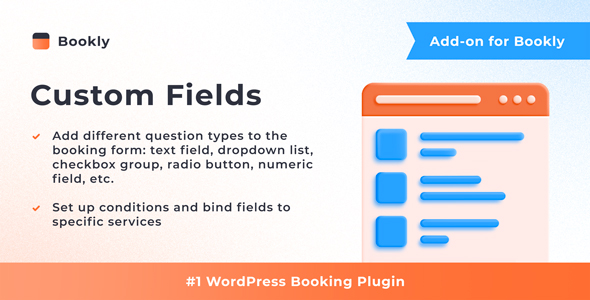
Would you like to collect additional information during the booking process? The standard required fields included in the default Bookly PRO booking form are the name, phone number, email address, and appointment notes. With the Bookly Custom Fields (Add-on), you can add extra fields of different types to the Details step of the Bookly booking form. This feature allows you to gather more specific information from your clients before they complete their booking. The custom fields will be added to the appointment details in the Bookly Calendar, and can be updated if necessary.

Features

  • Create as many custom fields as you need
  • Use different question types: text, checkbox, drop-down, radio button, numeric, captcha, etc.
  • Set up conditional custom fields
  • Make fields required or optional
  • Bind fields to specific services
  • Create internal custom fields – visible in Bookly backend only
  • Update custom fields in the appointment details if needed

In the same way as all Bookly add-ons, the custom fields feature seamlessly integrates with the Bookly PRO Appointment Booking and Scheduling Software System – the setup takes only a few minutes.

Read how to set up and use the Bookly Custom Fields (Add-on) in our detailed documentation.

CHECK FREE LIVE BOOKLY DEMO

WATCH QUICK VIDEO TUTORIALS

Frequently asked questions

Does this work without Bookly PRO?

No. It is an add-on and requires the Bookly PRO plugin to be installed. Check the item page for details on obtaining Bookly PRO.

What types of custom fields can I add?

You can add text, checkbox, drop-down, radio button, numeric and captcha fields, among others. Fields can be required or optional, and conditional fields are supported.

Can different services have different fields?

Yes. Fields can be bound to specific services, so clients see only the questions relevant to what they book.

Where can I see the answers clients give?

The answers appear in the appointment details in the Bookly Calendar, where they can be updated if needed. You can also create internal fields that are visible only in the Bookly backend.

Is it compatible with the latest WordPress and WPML?

The listing states compatibility with WordPress 6.9.x and WPML, and it was last updated in March 2026. Confirm details on the item page or in the live demo before purchasing.