Description
WooCommerce Simple Auctions is a complete auction solution that turns your WooCommerce store into a professional auction platform. Run individual auctions alongside regular products, or group multiple auctions into a single auction event or themed catalog.
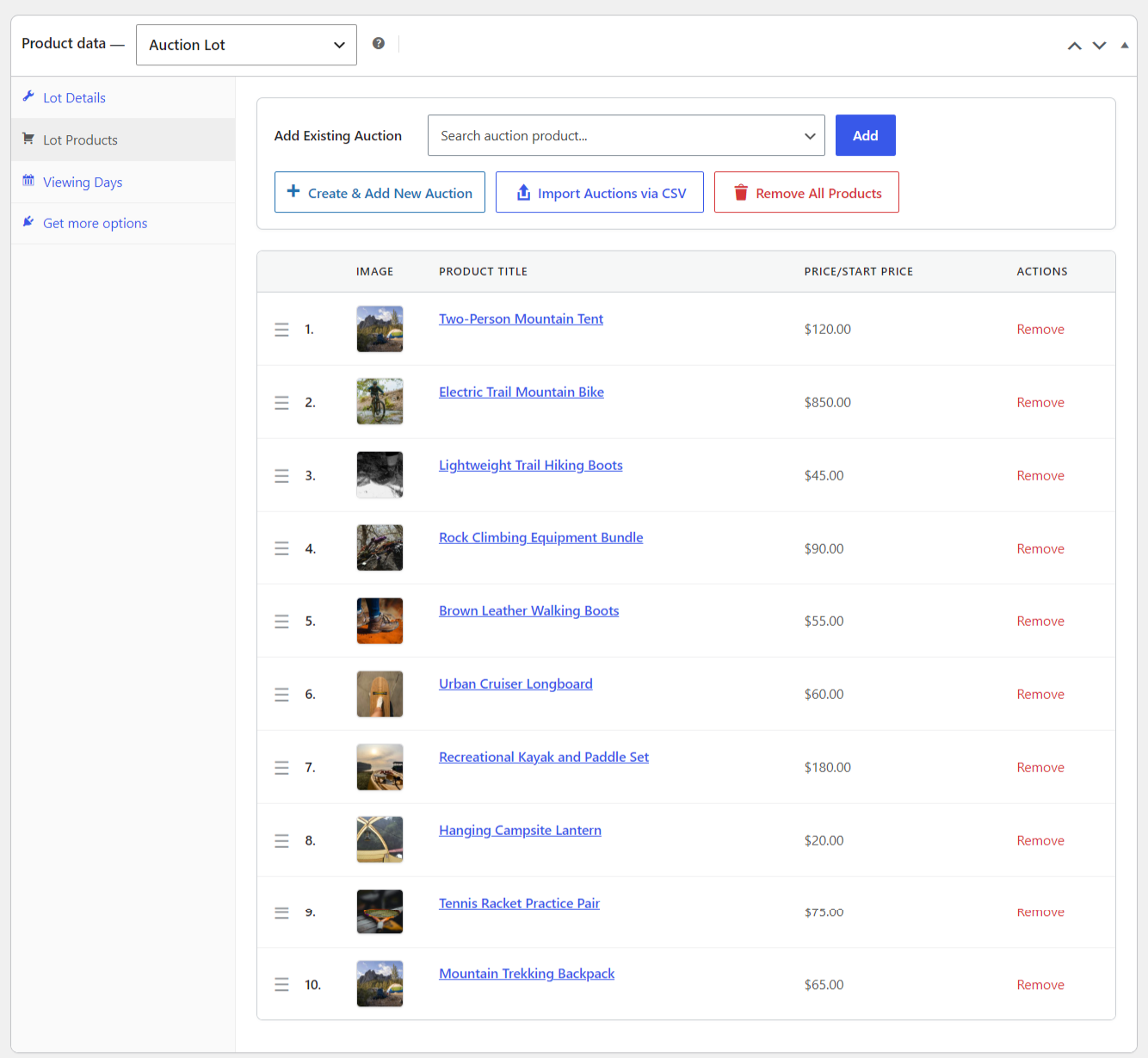
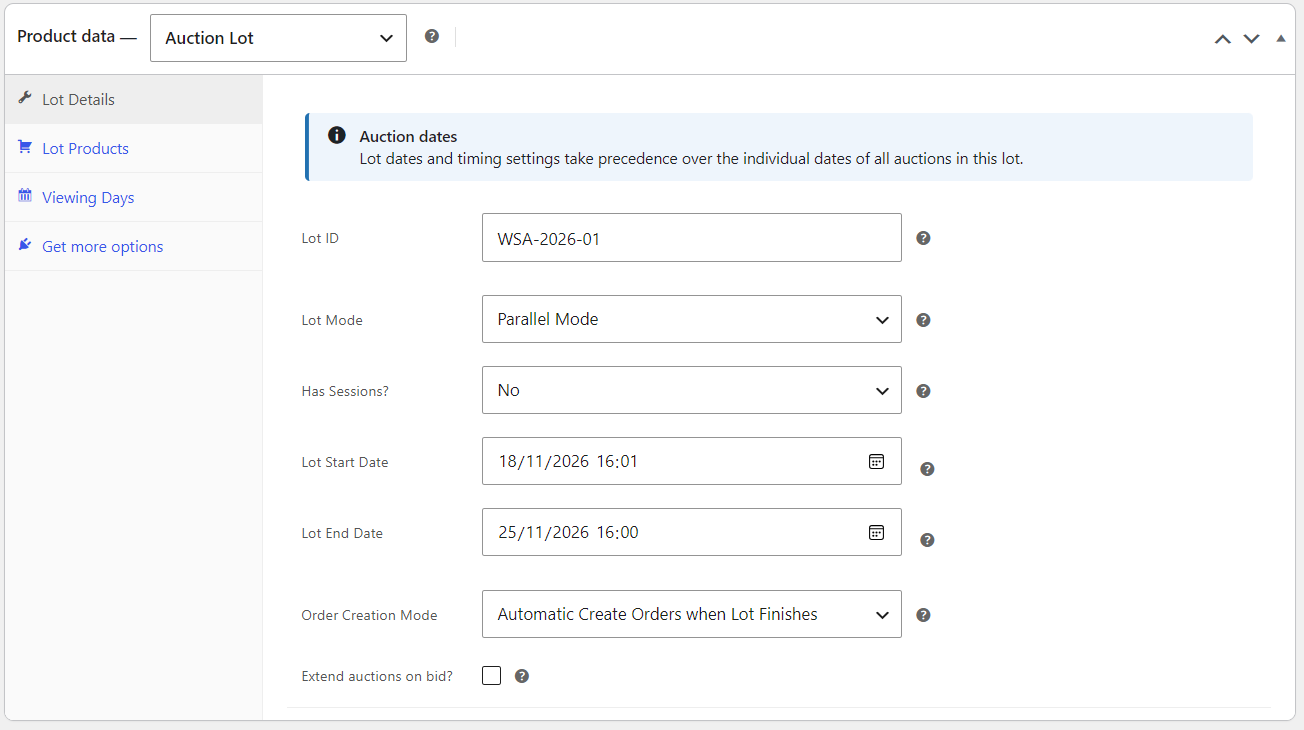
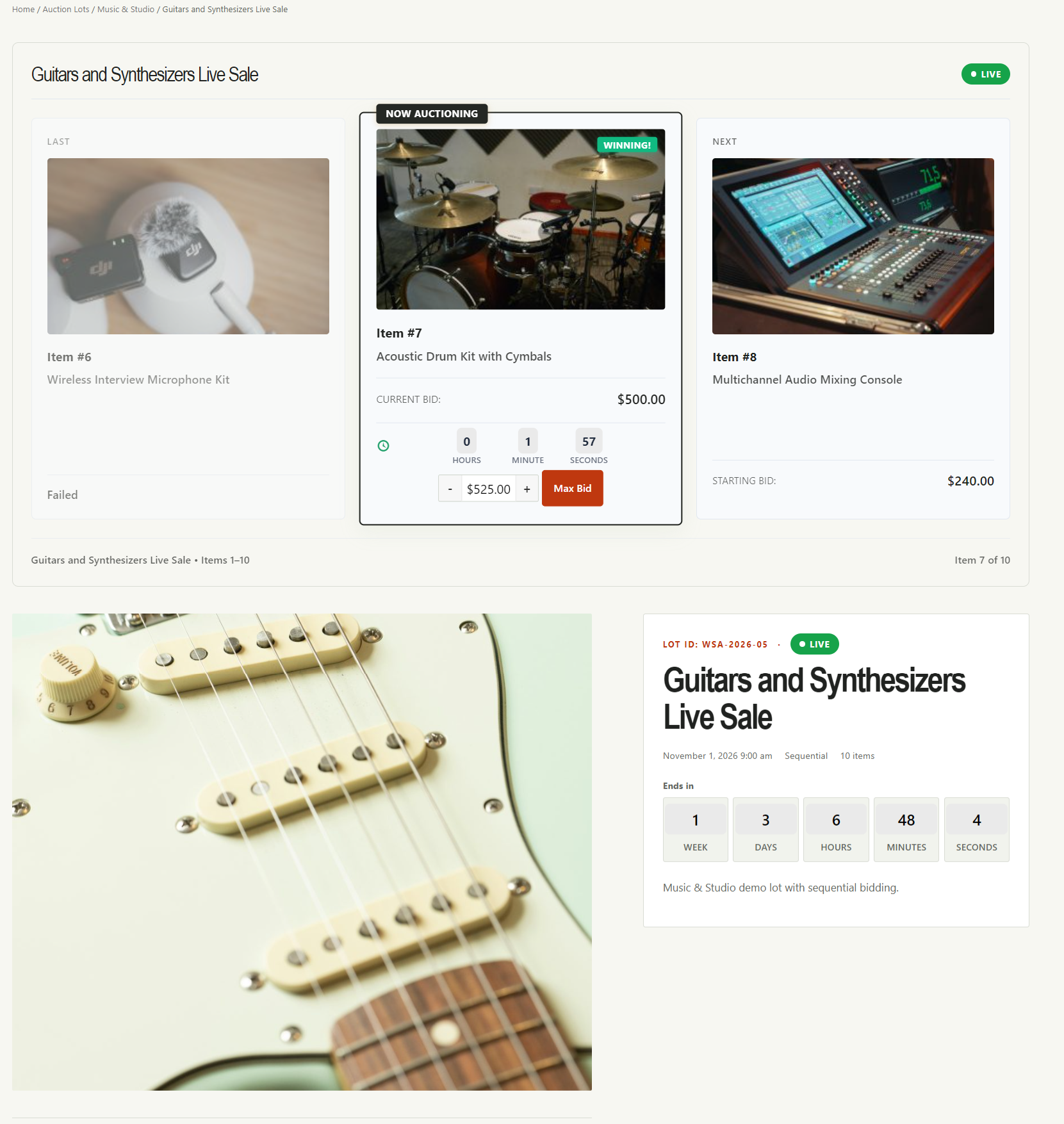
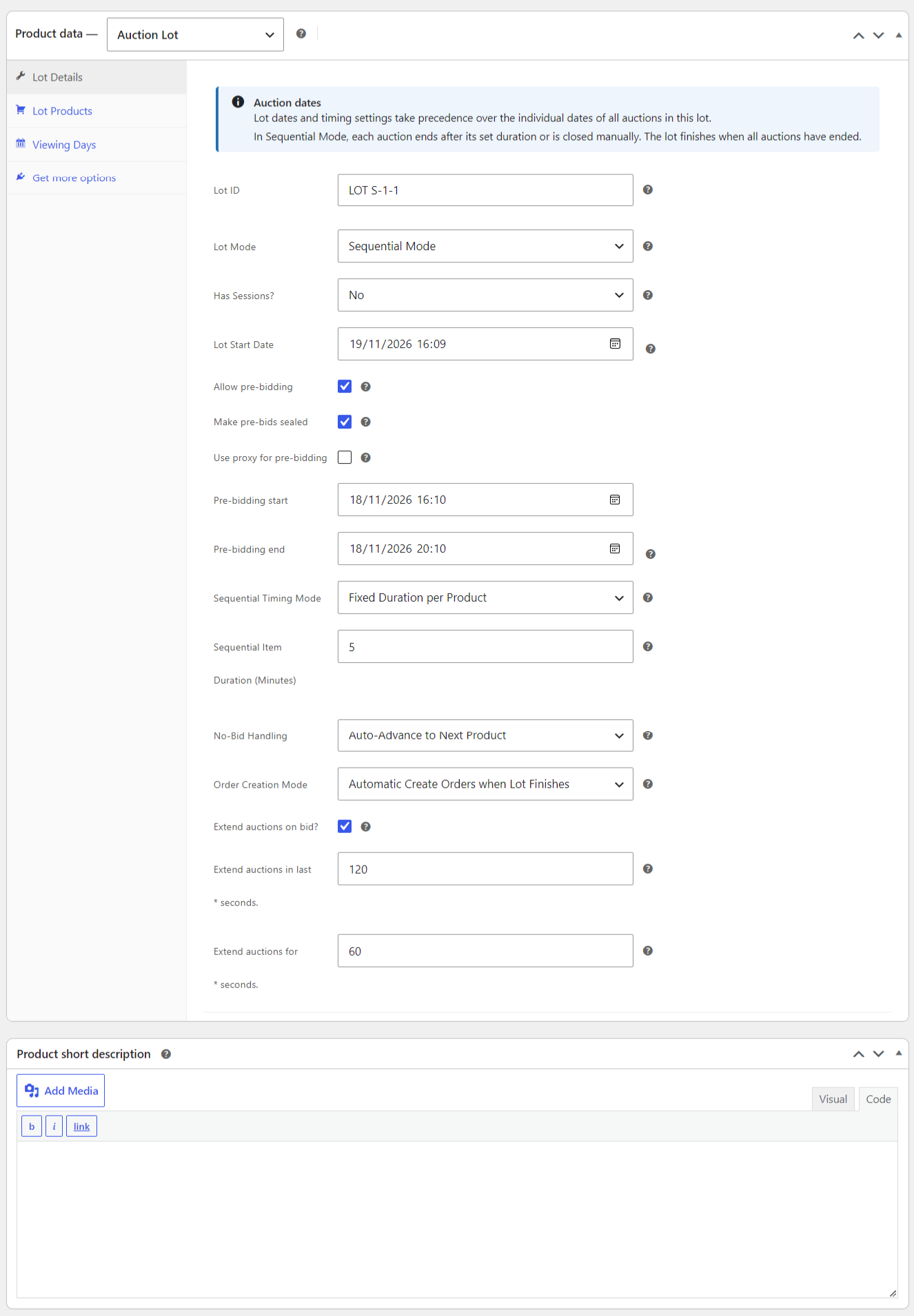
Backed by 12+ years of specialized auction development, it supports standard, proxy, sealed (silent), and reverse auctions. The Auction Lot product type, introduced in version 4, lets you group multiple auctions into one event. Run all items simultaneously in Parallel Mode or one at a time in Sequential Mode, organize events into scheduled sessions, set viewing days, and enable pre-bidding. Suitable for live-streamed auction events.
Why Store Owners Choose WooCommerce Simple Auctions:
- All Auction Types Supported: Run standard, reverse, proxy (automatic bidding) and sealed (silent) auctions. Set reserve prices, fixed or percentage bid increments, and Buy It Now options.
- Fair Bidding Protection: Anti-sniping (soft-close) extensions prolong auctions when late bids come in.
- Buyer’s Premium & Fees: Add a fixed or percentage buyer fee to winning purchases, with optional tax.
- Run Auction Events with Auction Lots: Group auctions into auction events with shared schedules, and options for viewing days, multiple sessions, and combined winner orders for customers who win multiple items.
- Flexible Sequential & Parallel Bidding: Start all items at once (Parallel), or auction them one after another in a set order (Sequential). Pre-bidding lets sealed offers and proxy limits carry over into live bidding.
- Bulk Import with CSV: Import auctions and lots using the built-in CSV import tools. Sample CSV files are included.
- Reduce Unpaid Wins with Stripe Auto-Charge: Require a card on file before bidding and automatically charge winners with Stripe.
- Paid Participation (Seated Auctions): Require customers to purchase a seat to participate in an auction. Set a participation fee and limit the number of available seats.
- Relist Auctions & Lots: Relist auctions and lots manually or automatically, and choose whether to keep or clear bid logs.
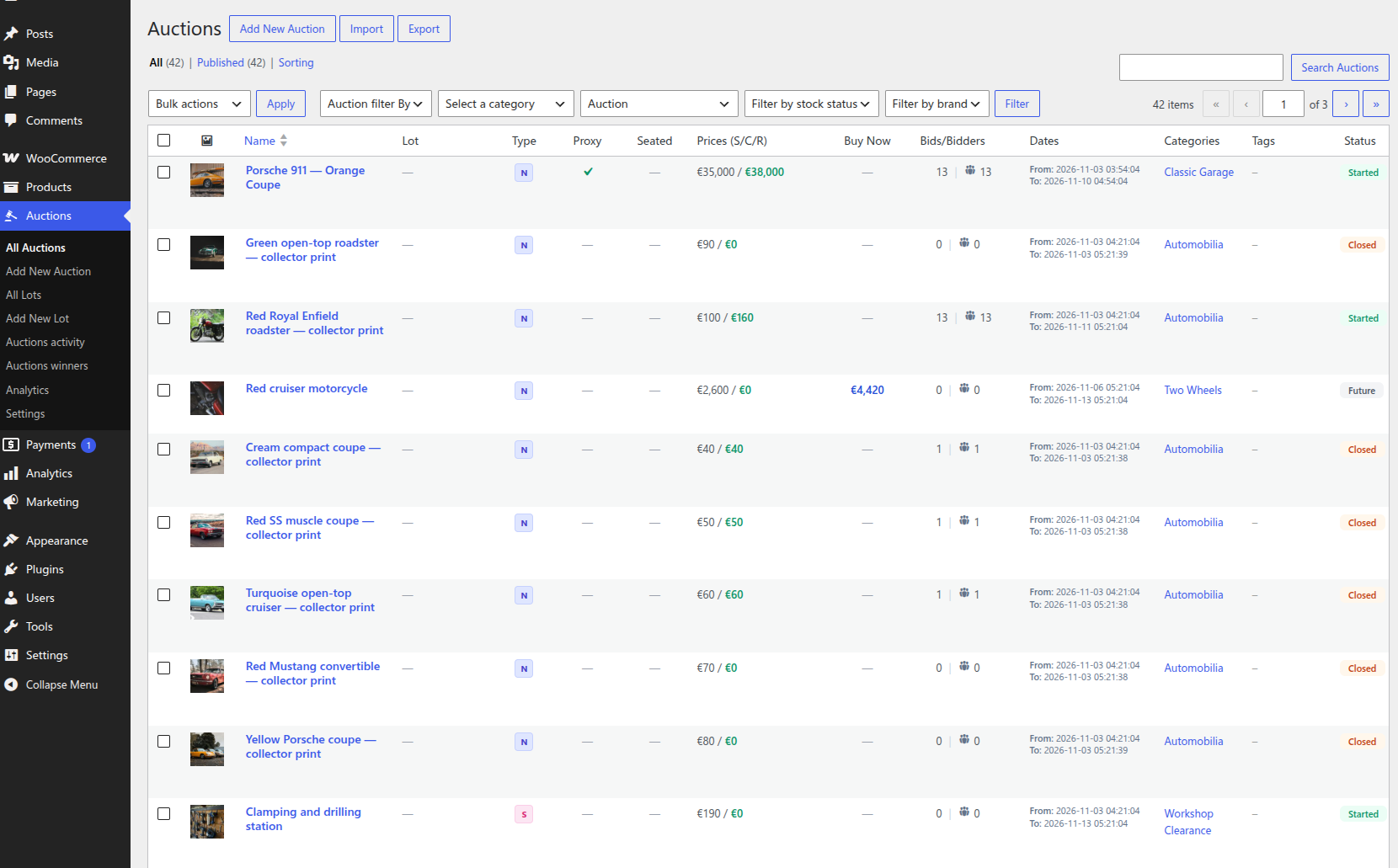
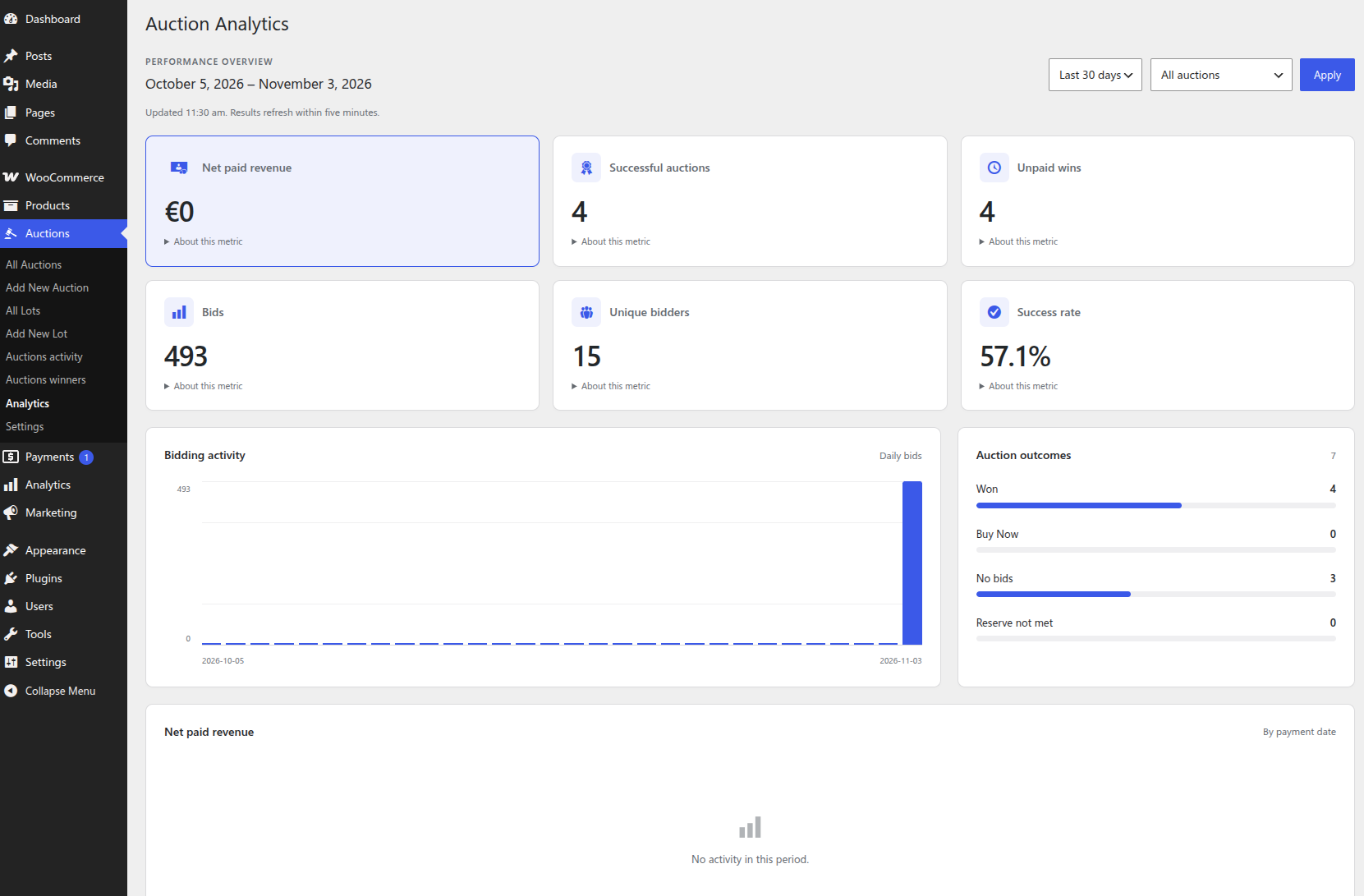
- Manage & Track: Review all auctions, bid activity and winners in dedicated admin screens, and use Auction Analytics for outcomes, bids and revenue.
- Live Updates & Bidder Notifications: Live AJAX updates, countdown timers, customizable badges, browser notifications with optional sound alerts, email notifications and watchlists keep bidders engaged.
- Flexible in Frontend: Show auctions with shortcodes, widgets and full Elementor integration.
- Built for Busy Auction Sites: Performance optimizations for high-traffic auctions.
Explore our documentation and try the live demo (running the latest versions of WordPress, WooCommerce and Simple Auctions).
Have a unique auction workflow in mind? WPGenie is available for custom development and integrations.
WooCommerce Simple Auctions Overview and Features:
- Actively supported and developed for over 12 years!
- First ever WooCommerce Auction plugin released on 13th Feb 2014.
- Allow bidding only if user has stored credit card (Stripe only)
- Auto charge for won auctions if user has stored credit card (Stripe only)
- Ajax bidding on single auction page or product loop (contact us for more info)
- Works with latest WordPress, WooCommerce and supports latest PHP version
- Seamless integration to WooCommerce – custom product type auction
- Verify credit card / payment details before user can bid (for all payment gateways, implemented via addon)
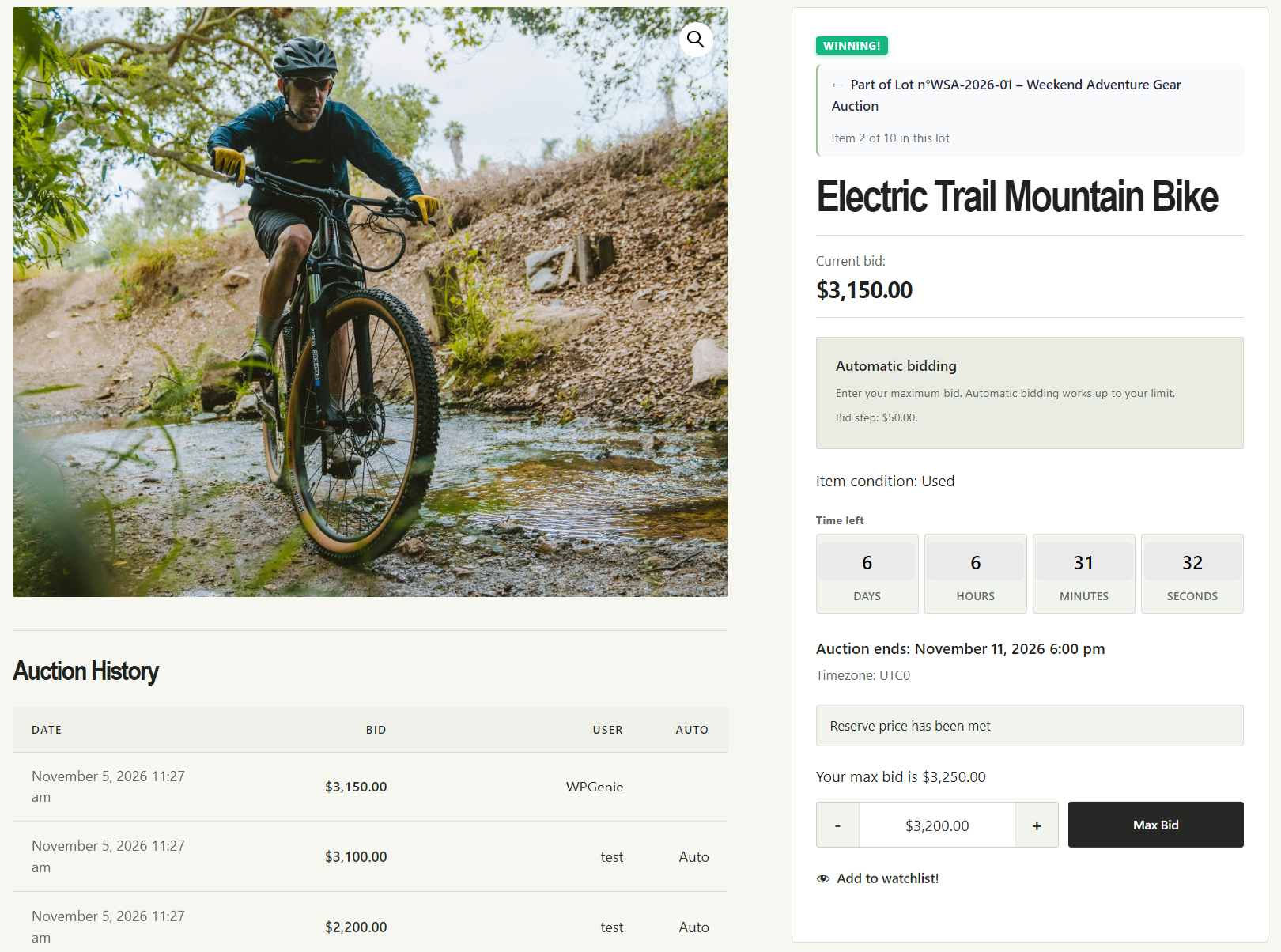
- Anti Snipping feature – extend auction end time when someone places bid say 30 seconds before auction end, configurable)
- Option to charge a commission fee to auction winner
- Penny Auctions available (implemented via addon)
- Auctions Winners and Analytics report tool in wp-admin – with CSV export
- Auctions Activity report tool in wp-admin – with CSV export
- Elementor support – view tutorial
- Works with all payment gateways in WooCommerce and TeraWallet
- Normal, reverse and sealed (silent) auctions, proxy / auto bidding, pre-bidding
- Define start price, price increment, reserve price, buy it now price
- Set start and end time for auction
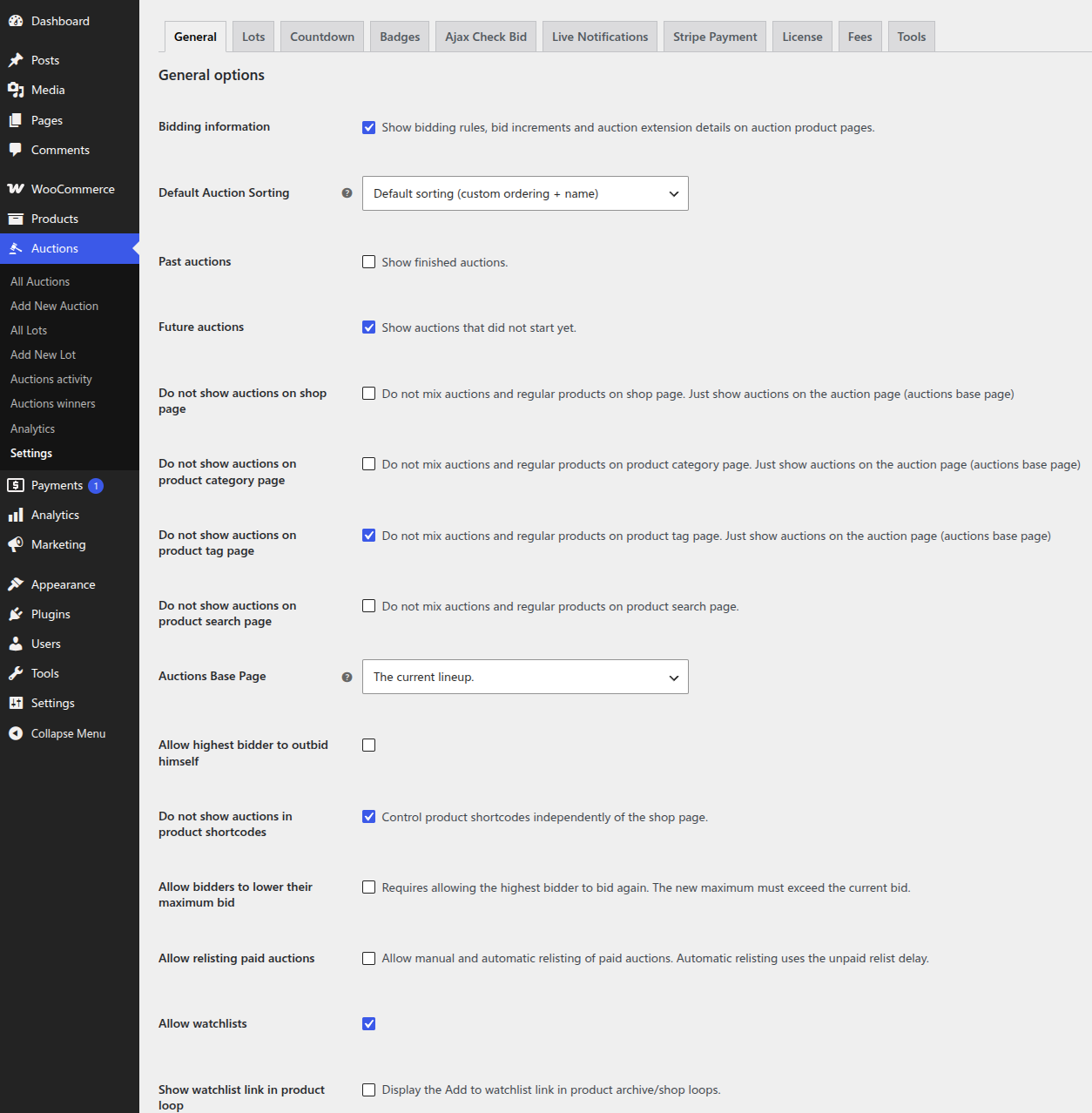
- Option to display auctions – along with products or separately
- Widgets with ending soon, future, latest, featured, recently viewed, my auctions and random auctions
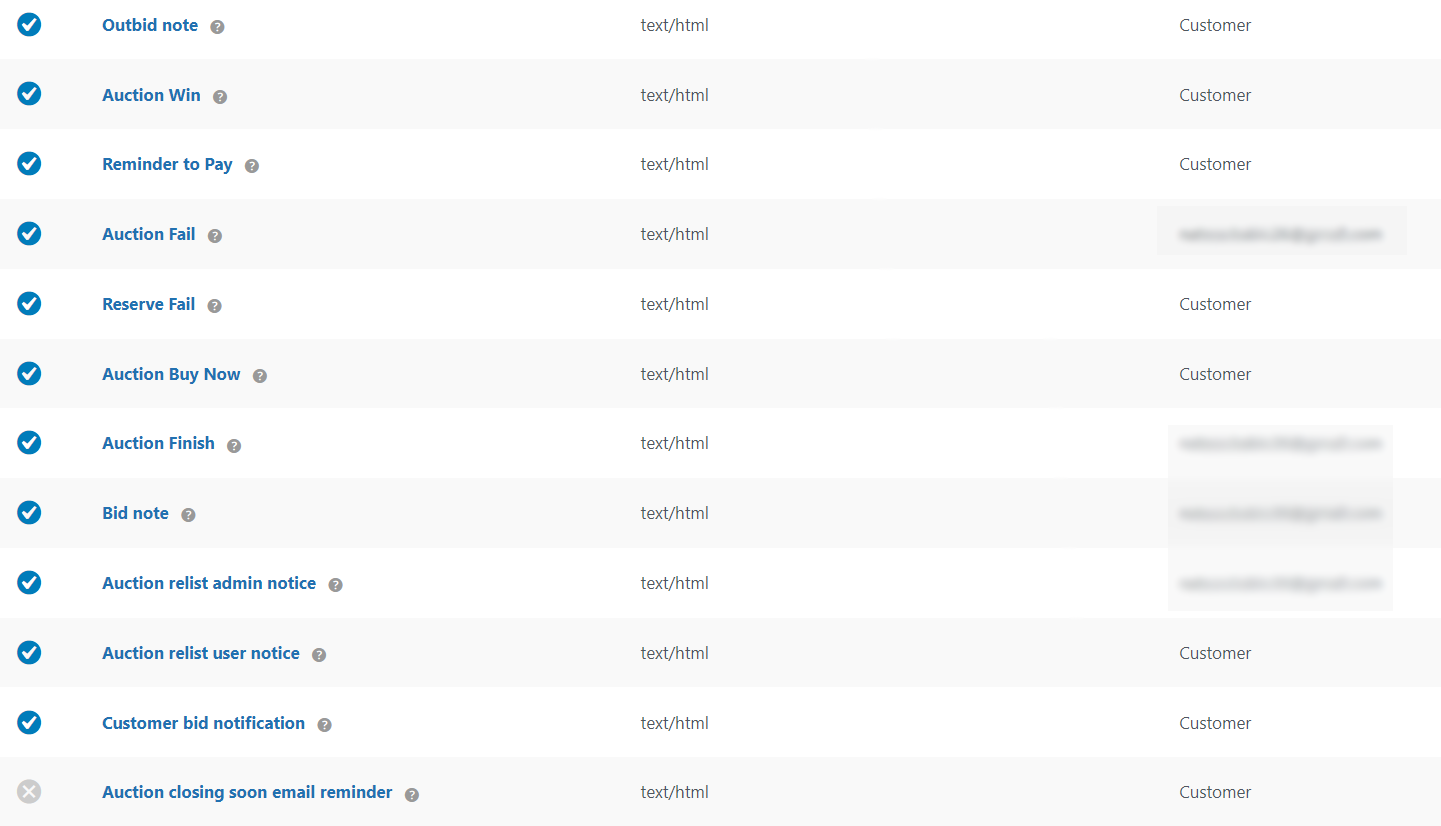
- Email notifications (with editable email templates) for outbid note, auction won, payment reminder, auction fail, reserve fail, auction buy now, auction finish, administrator bid notification (bid not), customer bid notification, auction relist admin notice, auction relist user notice, auction ends soon email notification
- Auction product has auction icon (label) on thumbnail
- If user is logged in and winning in auction, item has winning badge on thumbnail
- Product single page has new tab “Auction History”
- Plenty of shortcodes – please check documentation for all available shortcodes
- User’s “My Auctions” page with listed auctions in which user placed a bid (for both active and won auctions)
- Auction filtering and sorting in product list (wp-admin)
- Frontend auction sorting by current bid, date, buy now price, activity, ending date (ending soonest), start date (recently started)
- Auction product list has icon which describes different auction status: active, finished, finished and paid, failed (wp-admin)
- Auction activity (shortcode), auction watchlist feature (shortcode and widget)
- Auction history in wp-admin – history export in CSV or Excel
- Ajax live updating for current bid and auction history
- Make auction from virtual or downloadable products
- Option to manually delete bid
- Manual or automatic (for failed and unpaid auctions) auction relist
- WPML compatible, PO file available for translations in plugin’s language folder
- Role based bidding & Verify Payment method (via extension) – enable specific user role (for example “customer” role) to bid
- Enable users to create and submit their auctions and you as site owner can charge a fee (via multivendor plugin)
- WooCommerce API support – read tutorial
- Display any part of single auction template using shortcode [wsa_templates template=”countdown”] – refer to documentation, extremely usable with any visual builder
Screenshots:


View complete WooCommerce Simple Auctions change log here. Make sure to read documentation and check our demo.