Description
Web 2.0 Directory plugin – business directory, AI search, paid listings & maps for WordPress
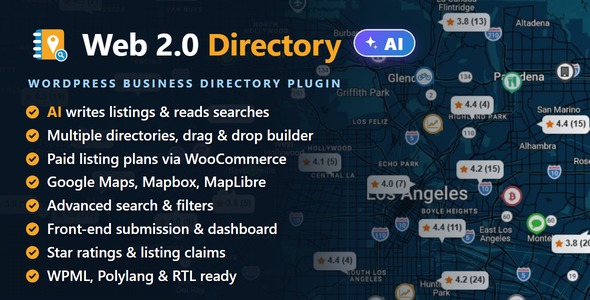
Web 2.0 Directory turns WordPress into a complete business directory. Build single or multi-directory site – each with its own listings, categories, locations, tags, search filters, map and submission form – construct any page with a drag-and-drop directory builder, and let members submit and pay for listings through WooCommerce payment system. Visitors search and browse by keyword, category, location or distance, and see results on an interactive Google Maps, Mapbox or MapLibre map. An optional AI assistant drafts listing text and reads a visitor’s whole sentence into the search filters. Everything – the directory builder, search forms, listing forms, plan constructor, marker editors and CSV tools – runs on a modern React UI with no page reloads.
Live demo: directory.salephpscripts.com
Free version: Web Directory Free – AI powered
AI That Writes Listings and Reads Searches

Add a key for an AI service and the directory starts helping. Until you do, nothing is sent anywhere and the feature is off.
- Write with AI – a Write button beside the description drafts the text from the listing name, categories and location.
- Groq built in – its free tier needs no payment card.
- No invented facts – prices, phones, dates, opening hours and web addresses are never generated.
- Your key, your limits – keys stay on your server; hourly and daily limits cap what visitors can spend.
- Per-field control – choose which fields get a Write button, and whether visitors see it.
The AI Assistant Add-on (a separate plugin, installed from the AI tab in one click) adds:
- Five more services – OpenAI, DeepSeek, Mistral, OpenRouter and Google Gemini.
- Every text field – a Write button on your custom fields too, and one click to fill all empty fields at once.
- Assisted search – a visitor types “a cheap place open on Sunday that takes cards” and the form sets its own filters. Each one shows as a chip the visitor can remove.
Multiple Directories

- Many directories on one site – a business directory, a real-estate directory and a classifieds board side by side, each independent.
- Own settings per directory – labels, URL segments, listing form, plans and page layouts. Its Categories and Locations blocks show the terms you pick.
- One listing, several directories – a listing shows in every directory by default, or only in the ones you tick.
- One shortcode – [webdirectory id=”N”] places a directory on any page, by ID, slug or title.
- Duplicate a directory – clone its layout and settings in one click.
Drag-and-Drop Directory Builder

- Elements – Search, Map, Listings, Categories, Locations, Slider, Pricing Plans, Breadcrumbs, Page Title, Buttons and more.
- Listing page from elements – gallery, fields, field groups, rating, comments, contact, report and claim forms.
- Separate layouts for the directory home, category, location, favourites and listing pages.
- 6-column grid with elements that span several rows.
- Tablet and mobile layouts with your own breakpoints.
- Shortcodes too – every element is also a [webdirectory-*] shortcode.
Listing Plans & Payments


- Free or paid plans – submit, renewal and raise-up prices, charged through WooCommerce with your own gateways.
- Packages – one payment buys several listings.
- Limits per plan – listings, categories, locations, images and videos, or unlimited.
- Duration – days, weeks, months, years or never expiring.
- Roles – choose who can view and who can submit under each plan.
- Featured & sticky – a badge with its own text and colour, and sticky listings first in every sort.
- Upgrades – upgrade and downgrade paths, and an automatic plan change after expiry.
- Pricing table – a Plans element with feature bullets.
Maps: Three Engines, or None

- Google Maps, Mapbox GL JS or MapLibre GL + MapTiler, each with ready-made styles.
- Switch any time – listings and search forms stay as they are.
- No maps – run the directory without a map; nothing about maps is shown until you choose an engine.
- Markers – icon, image or price markers, with icons and colours per category.
- Clustering and batch loading – thousands of listings stay fast.
Search

- Form builder – compose the search form by drag and drop.
- Keyword search – a full-text index with relevance order and suggestions.
- Address and radius – “within 25 km of me”, in km or miles.
- Filters – categories, locations, price and number sliders, lists, dates and “open now”.
- Filter chips and shareable links – remove a filter in one click, or send a search as a link.
Listings

- Grid or list view with column counts for desktop, tablet and mobile.
- Sorting – date, title, price, rating, distance, relevance, any number field or random, served from a fast sort index.
- Cards – choose the fields, image ratio and fit.
- Favourites and map-list hover highlighting.
Custom Fields & Form Builder


- Field types – text, number, price, website, email, phone, images & videos, file, lists, date & time and opening hours.
- Field groups, shown only for the categories you choose, and hidden from logged-out visitors if you want.
- Clickable contacts – phone, email, WhatsApp, Viber and Telegram.
- Several form templates, duplicated and assigned per directory.
Front-end Submission & Dashboard

- [webdirectory-submit] – submission with plan choice, payment, images and reCAPTCHA.
- [webdirectory-dashboard] – members edit, renew, pause and delete their listings and see their orders.
- Login and registration built in, with optional guest submissions and moderation.
- Expiry and renewal with status badges and a history of every listing change.
Ratings & Claims

- Star ratings on cards, listing pages and map popups.
- Written reviews are available with the separate Ratings & Reviews plugin.
- Ratings per plan – turn them off for a plan without losing data.
- Claim a listing – owners claim an entry, you approve it and ownership moves over.
Categories & Locations

- Hierarchical categories with their own icons and marker colours.
- Locations as a Country, State, City tree.
- Primary category and location for a listing’s main URL.
Addresses

- Autocomplete and “Get my location” on address fields.
- Pin on the map when the address is not enough.
- Address format set by drag and drop, and autocomplete limited to one country if needed.
CSV Import & Export, Demo Content

- Import in batches with a resumable progress bar: directories, plans, ratings, images from URLs (with WebP conversion) and videos.
- Export every listing with its images and videos.
- Demo content – 40,179 ready-made listings in 113 country files, plus 5 demo directories with their maps and pages and a listing form template, imported in one click.
Emails & Contact Form

- Notification emails – each with its own subject, on/off switch and a delivery test.
- Contact form on listing pages, or your Contact Form 7 form.
- reCAPTCHA v2 and v3 on contact and submission forms.
Multilingual & RTL

- WPML and Polylang – listings, directories, plans, forms, settings, emails and CSV per language, with one set of map markers per listing.
- WooCommerce Multilingual – plan prices in the visitor’s currency.
- Right-to-left languages – Arabic, Hebrew, Persian.
- Translation-ready, admin screens included.
SEO

- Own title, description and share image for every directory, category, location and listing page.
- Works with Yoast, Rank Math, All in One SEO, SEOPress and The SEO Framework, with structured data for listings.
Customization

- Colour palette – seven ready palettes, or your own primary, link and button colours, applied everywhere.
- Image lightbox – listing images open full-size from map popups, the sidebar and galleries.
Speed & Tools

- React front end and REST API, with search and sort indexes for large directories.
- Setup wizard – from API keys to your first directory page.
- Migration from the old Web 2.0 Directory: listings, terms, plans, fields and settings, in resumable batches.
- Diagnostics – tests for map keys, reCAPTCHA, email and outgoing connections.
What’s Included
- The Web 2.0 Directory plugin.
- The Web 2.0 Directory theme, a ready-made theme for the plugin (separate download).
- Demo content: 40,179 listings, 5 directories with maps and pages, a form template.
- Documentation and 6 months of support.
Requirements
- WordPress 6.0+ and PHP 7.4+.
- WooCommerce, only for paid listings.
- A key from your map provider, only if you use maps: Google Maps browser key (a server key is optional), Mapbox access token, or MapTiler key.
- A key from an AI service, only for the AI features. Groq is built in and free to start.
Changelog
= 3.3.5 - 2026-10-07 =
* New: Print and Save as PDF buttons for the listing page.
* Improvement: the listing gallery fits the whole image instead of cropping it, with a ratio and a fit setting in the grid as well as the slider.
* Improvement: My listings shows a Plan / Directory column, and the directory's default image for a listing with no logo.
* Fix: with moderation on, neither a paid order nor an expiring plan publishes a listing you have not approved.
* Fix: a listing activated by a paid order could be missing from its category.
* Fix: listings saved through the listing form are found when searching by their location.
* Fix: a map placed beside taller fields on the listing form no longer grows past its Height.

= 3.3.4 - 2026-10-01 =
* New: a Sort options table for the Listings element: which orders the Sort control offers, in what order, direction and name.
* New: submitting a listing no longer needs a page - each directory takes new listings at its own /submit/ address.
* New: a Default image for listings that have none, on cards, in map popups and in the map sidebar.
* New: switching a directory's Listing template rebuilds the settings that list its fields, and switching back brings the old ones back.
* Improvement: word and item limits for every text field on cards, in map popups and in the map sidebar.
* Improvement: category markers, listing markers and image markers each have their own size in Edit Map.
* Improvement: the translation template lists every string of the plugin, the new screens included.
* Fix: a directory on any form template but the first showed the first template's fields everywhere.
* Fix: on Google Maps, markers and clusters no longer disappear while the map pans.
* Fix: directory pages with an element stretched over several rows stack into one column on tablets and phones.

= 3.3.3 - 2026-09-28 =
* New: three ways to choose categories on the submission form: a checkbox list, dropdowns level by level, or type-to-search.
* New: Save as draft on the submission form, and a draft the member comes back to from their listings.
* New: the form builder places fields on the same grid as the directory builder, each with its own width.
* New: the plan option "Enable map" is a real switch.
* Improvement: every number on a plan is a limit now, and the limit a listing gets.
* Improvement: renewing adds the plan's period to the time a listing still has, so renewing early costs nothing.
* Improvement: the submit wizard reads as a wizard, and what you can do to a listing sits in its own Actions box on the dashboard.
* Fix: a listing shows only the fields its plan includes - on its page, in map popups, the sidebar, cards and marker labels.
* Fix: the plan options "Who can view listings", "Logo enabled" and "Certain locations" are enforced on every save.
* Fix: "Geocode addresses" in the CSV import puts listings on the map from their address.

= 3.3.1 - 2026-09-22 =
* New: WPML and Polylang support for listings, directories, plans, forms, settings, emails and CSV.
* New: plan prices in the visitor's currency with WooCommerce Multilingual.
* New: right-to-left languages.
* New: "No maps" map engine - run the directory without maps.
* New: a price can stand out on cards and popups with a badge, divider or accent colour.
* Improvement: sticky listings come first in every sort except Random, Distance and Relevance.
* Improvement: the setup wizard ends by creating your directory page.
* Fix: raising up, renewing or activating a listing now moves it up in the directory.

= 3.3.0 - 2026-09-16 =
* New: AI writes your listing text. Groq is built in.
* New: the AI Assistant Add-on adds five more AI services, a Write button on every text field and assisted search.
* Improvement: the price on a card is bold and in your primary colour.

= 3.2.2 - 2026-09-14 =
* New: shareable search links and filter chips above the results.
* New: clickable phone, email, WhatsApp, Viber and Telegram contacts.
* New: a Relevance sort order for keyword searches.
* Fix: expiration emails are sent again, and listings expire again.

= 3.2.1 - 2026-09-07 =
* New: per-plan sticky badge with its own text and colour.
* New: plans can sell packages of listings.
* New: form templates can be duplicated.
* Fix: "Who can submit listings" is enforced.

= 3.2.0 - 2026-08-31 =
* New: every notification email has its own subject and on/off switch.
* New: mark a listing paid or unpaid by hand.
* New: YouTube and Vimeo videos in the listing gallery.
* Fix: directory pages built with Elementor render.

= 3.1.4 - 2026-08-25 =
* New: limit how much of the Content field shows on cards.
* Fix: login, registration and logout work without a separate Dashboard page.

= 3.1.3 - 2026-08-21 =
* New: a set expiration date, or "Never", per listing.
* New: WebP conversion for imported images.
* New: list view with the image on the left.
* New: sort by distance after an address search.

= 3.1.2 - 2026-08-19 =
* New: "Always load front assets" for shortcodes in page-builder headers and footers.
* Fix: markers no longer disappear when another plugin loads Google Maps.

= 3.1.1 - 2026-08-12 =
* New: hide the label of any field on the listing page.

= 3.1.0 - 2026-08-11 =
* New: pin a listings grid to chosen categories and locations.
* New: coloured label markers and an HTML marker mode.

= 3.0.5 - 2026-08-06 =
* New: globe projection for Mapbox and MapLibre.
* Fix: deleting a listing no longer leaves empty cards behind.

= 3.0.4 - 2026-08-05 =
* New: a default filter per directory.
* New: "Hide listings until search".
* New: a front-end self-test.

= 3.0.3 - 2026-08-04 =
* New: Slider element, and a slider gallery on the listing page.

= 3.0.2 - 2026-08-03 =
* Fix: listing links on page-builder pages point at the directory URL.

= 3.0.1 - 2026-08-02 =
* Fix: safer migration from 2.x on large sites.
* New: every directory element in WPBakery and Elementor.

= 3.0.0 - 2026-07-31 =
* Rebuilt from the ground up: multiple directories, listing plans, WooCommerce payments and the listing form builder.