Description
One WooCommerce store. Every warehouse, shop and pickup point, each with its own stock, price and rules.
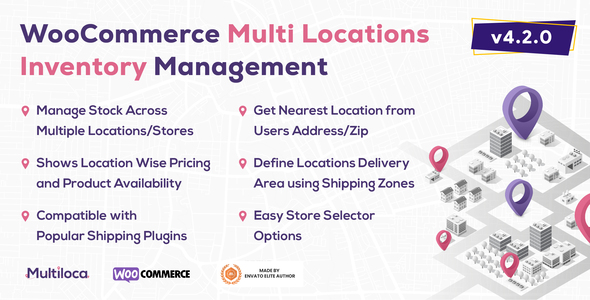
MultiLoca is a WooCommerce multi location inventory management plugin. It manages product stock across multiple locations, warehouses and retail stores, detects the nearest warehouse by geolocation, connects each customer to their closest store, applies location-wise pricing, and keeps stock in sync in real time across your POS systems.

Compatible with WordPress 6.5 to 7.1 · WooCommerce 8.2 to 11.2 · PHP 7.4 or later · HPOS supported · uses the classic Cart and Checkout pages.
Want to try before you buy? Get MultiLoca Lite free at WordPress.org.

WooCommerce multi-location inventory management for stores that ship or sell from more than one place

Built for worldwide shippers, retail chains, regional teams and franchises, and multi-channel sellers: any WooCommerce store that ships or sells from more than one place.


From visitor to the right shelf, automatically


Show shoppers the right location
Visitors always know where stock is, how far it is and what it costs there.

Step 1: Get the shopper’s location by geolocation, address or choice

Visitors choose a location, or MultiLoca picks the nearest one from the visitor’s address with the Google Maps API or the MaxMind API, and by geolocation in the browser. The chosen location is remembered the next time the visitor returns.
Step 2: Show what is available there, stock, distance and place

Real-time quantity display for the chosen location, a store locator on Google Maps with filters by product or radius, distance in kilometres or miles, a dedicated location shop page, and the selected location shown in the cart and checkout.
Step 3: Close the sale, fast, and from the right place

Ajax add to cart for simple and variable products with their location, no page reload and on shop pages too. If a product is out of stock, MultiLoca suggests the nearest location that has it. Customers can also choose a local pickup location at checkout.

Price, pay and sell differently in every location

Set location-wise regular and sale prices, assign location-specific payment methods, restrict customers to locations, use backend only mode, work with Multi-Currency for WooCommerce, and create dynamic pricing and discounts with Discount Rules for WooCommerce PRO by Flycart.

Multi-location inventory management: run every location’s inventory from one place
See each location’s inventory levels, change prices and stock, and decide what to stock, where and how much to order.


Centralised stock management for simple and variable products, location groups by city, region or country, sublocations (rack, bin number, shelf, sub-area of a warehouse, floor, building), each location’s stock added to your default WooCommerce stock, and unlimited locations at no extra cost.
Product Central: bulk edit in one dashboard
Simplify operations and work faster. Product Central lets you bulk edit and manage products for every location on one screen. Customers use it to find new ways to control inventory, cut inefficiencies and maximise profit.
You can also update location stock from the WooCommerce product list. The stock update and edit icons open a popup so you can change each location’s inventory quickly.

Connect your own tools
Sync location stock with third-party inventory tools using the REST API: read and update product stock at every location. Also compatible with StockUpp for WooCommerce to organise sales, purchase orders, suppliers and shipments, with sales, purchase and inventory reports by location, and with the WooCommerce QuickBooks Connector.

Route every order to the right location


Multi-location order fulfilment, rule-based, by most or lowest stock, closest location to the shipping address, or location priority. Assign shop managers to locations, email them when an order arrives, and use the Smart Location Allocation addon for Conditional Logic rules based on products, carts, customers, shipping and more.
Get Smart Location Allocation for Multi-Location to control exactly where items are allocated automatically, which streamlines distribution and improves operational efficiency.
Free addon: Sales Report by Location
Adds a Sales by Location tab to your WooCommerce Reports. See how much each location sells and which perform best. Drill into location reports to find the marketing strategy that works for each region.

Seamless shipping for businesses with multiple locations
Say hello to a more efficient, cost-effective way to ship from many places.

- Effortless delivery areas. Assign a delivery area to each location with WooCommerce Shipping Zones.
- Works with top carriers. Compatible with WooCommerce Shipping Pro for UPS, FedEx and EasyPost, which supports 100+ carriers.
- Our in-house shipping plugins. MultiLoca is compatible with StockUpp Advanced Shipping for WooCommerce, StockUpp Shipping Packages for WooCommerce, Distance Rate Shipping for WooCommerce and Local Pickup for WooCommerce, all developed by Techspawn, the team behind MultiLoca.
- Customisable rates and rules. Create shipping rates by location with Table Rate Shipping for WooCommerce by bolderelements, and custom shipping rules by location with WooCommerce Advanced Shipping by sormano.
- Automated order separation. Split orders automatically by the location of each product with the Split Order based on Locations addon.
- Split package shipping. Separate packages by location at checkout, so items ordered from different locations are easy to track and ship.
- ShipStation integration. With the ShipStation Integration by WooCommerce, MultiLoca sends location information to a ShipStation custom field and routes each order to the correct location.

Sell in multiple physical stores and online
MultiLoca integrates with POS plugins, so you can sell stock from every outlet, online and offline, and maximise profit. Stock updates continuously: when a product sells in an outlet it is counted automatically, and your website shows the correct quantity.

- Compatible with OpenPOS, WooCommerce Point of Sale (POS).
- Compatible with Point of Sale for WooCommerce by Actuality Extensions.
- Compatible with StockUpp POS for WooCommerce by Techspawn. Buy MultiLoca and get this POS plugin free.
Import and export stock
- Compatible with WP All Import for importing and exporting stock.
- Use the free addon to import and export stock quantities by CSV and Excel.

Works with the page builders, themes and plugins you already use
MultiLoca is compatible with the most popular page builders, themes and WordPress plugins.

Page builders: Gutenberg, Visual Composer, WPBakery Page Builder, Divi Builder, Elementor, Beaver Builder.
Themes: Avada, X The Theme, Enfold, Be Theme, The7, Astra, Bridge, Flatsome.
Plugins: WP All Import, OpenPOS, Multi-Currency for WooCommerce, Table Rate Shipping for WooCommerce, WOOF Products Filter, Yoast SEO. Compatible with Yoast SEO and WOOF Products Filter for WooCommerce.
If it is not compatible with your page builder, theme or plugin, open a support ticket and we will make it work.

Why teams choose the MultiLoca multi locations inventory plugin

See every location at a glance, make better stocking decisions, stay in sync everywhere, and manage everything from one site instead of several. Manage products and orders by location, with separate payments and delivery areas. It is well documented (step-by-step documentation), developer friendly, and customisable, with no monthly or yearly fees.
What buyers say
★★★★★ for Feature Availability
“Excellent plugin. Exactly what I needed. If you’re looking for multi-branch stock location ability look no further. I have been looking for something similar for quite a while and this plugin does exactly what I wanted, full REST API support too which for me was essential. The option to designate shipping methods for locations is an added bonus, not something I had thought of initially but is a great and useful feature.”
neildurant, CodeCanyon buyer
★★★★★ for Customer Support
“The support is great and experienced developers. I need some customization. The team did not hesitate to provide it. Moreover, the plugin is first of a kind in WordPress stock plugins.”
msharine, CodeCanyon buyer
★★★★★ for Customer Support
“The Customer Support is awesome! The guys are really delivering and try to help you as good as they can! Thumbs up! Keep on going!”
Blackbold, CodeCanyon buyer

Have any questions?
Ask our Support team about additional features, or send pre-sale questions about the WooCommerce multi warehouse plugin. For free configuration support, email [email protected]. Read more about us at www.techspawn.com. MultiLoca is the WooCommerce multi-location inventory management plugin from Techspawn, an Envato Elite Author.



Version history
=Version 4.3.1 = November 21, 2026
* Fixed: On stores using High-Performance Order Storage (HPOS), locations and allocation markers saved on orders by earlier versions are restored in the background, so existing orders keep their locations and are not allocated or deducted again after an upgrade.
* Fixed: Stock and allocation actions that have to wait for the restore are retried automatically, and orders cancelled, refunded or failed in the meantime are skipped.
* Fixed: Location stock is reduced for paid orders that WooCommerce places directly into a custom order status.
* Fixed: The Orders list in Trash shows orders assigned to a location, and location managers keep access to their orders during the restore.

=Version 4.3.0 = November 08, 2026
* Improved: Google address suggestions now use Places API (New), supporting new Google Maps Platform customers.
* Fixed: Saved-address dialogs synchronize Google suggestions when reopened or edited.
* Improved: Nearby-store and delivery-radius calculations now use Routes API v2 with numeric distances and a compatible fallback for existing Distance Matrix keys.
* Improved: Google location ratings and reviews now use Places API (New).
* Fixed: Google review counts remain consistent between inline location cards and rating shortcodes.
* Fixed: IPinfo nearest-store detection now sends the required security nonce and handles plans without coordinates gracefully.
* Fixed: Cloudflare location detection now reads verified proxy location headers, with manual selection when coordinates are unavailable.
* Upgrade: Enable Places API (New), Routes API, Maps JavaScript API and Geocoding API. Configure a browser key restricted by referrer and a separate server key restricted by server IP. Existing keys remain supported; enable Places API (New) before upgrading. Cloudflare nearest-store detection requires the Add visitor location headers Managed Transform; IPinfo Lite cannot supply nearest-store coordinates.

= Version 4.2.17 = November 07, 2026 =
[Security] Cart stock limits and prices are read from the product, not the browser request; location stock is re-checked at checkout
[Security] Settings export downloads directly instead of saving to a public file; settings import requires a security token
[Security] REST API routes require the shop manager capability; location manager order access is checked on HPOS screens and in the REST API
[Security] Nearest-location lookups require a security token and are rate limited; location and product names are escaped
[Security] jQuery UI, Select2, Chosen and SweetAlert load from local copies instead of external CDNs
[Fix] Location stock, product totals and stock status update correctly when a location sells out
[Fix] Stock is no longer reduced twice by the shipping-zone rule, backend-only mode or unpaid orders
[Fix] Cart quantity updates no longer set product stock to 0
[Fix] Priority-rule order splits keep line totals equal to the amount paid
[Fix] Variation saving keeps the correct stock status
[Fix] Fatal errors in the MaxMind, coordinates, IPinfo and Cloudflare nearest-location modes and the local pickup totals row
[Compatibility] WordPress 7.0 to 7.1, WooCommerce 7.0 to 11.2, PHP 7.4 to 8.5 and HPOS
Note: use the classic Cart and Checkout pages. WooCommerce shows a notice if the Cart or Checkout block is active.

= Version 4.2.16 = March 09, 2026=
Fix: Enhanced security for AJAX handlers

= Version 4.2.13 = Dec 23, 2025= Happy New Year

New: Support for Cloudflare IP geolocation to identify visitor locations based on their IP addresses.
New: Added location-wise coupon functionality.
New: Location-wise Google My Business rating sync.
New: Stock Locator Feature in Map to locate product locations on the map.
New: Redesigned Location Manager dashboard.
New: Location SEO optimization.
New: Multiple address handling and saving at the user level.

=Version 4.2.12 = Nov 28, 2025
[New] Purchase from one location only pop messages
[Fix] Improved variable product price display on location taxonomy pages.
[Fix] Locations Manager Setting and Product Central Fixes

=Version 4.2.11 = Oct 15, 2025
[New] Show/ Limit Maximum Location on product pages
[Fix] Hide stock count not working for select view

=Version 4.2.9 = Sept 19, 2025
[New] Shortcode for Header with settings
[Fix] Security enhancements

=Version 4.2.8 = Sept 10, 2025
[Fix] User permission for more reliable access control.

=Version 4.2.7 = Aug 18, 2025
[Fix] Product central backorder status issue
[Fix] Product central search functionality
[Fix] Product central category filter

=Version 4.2.6 = Aug 11, 2025
Fix: Conflict on Settings page

=Version 4.2.5 = July 08, 2025
Enhancement: Open POS Stock AutoSync
Enhancement: Location-wise & User-Based Pricing in Open POS
Enhancement:  Location block visibility based on rules creation
Enhancement:  Location note enhancement

[Fix] Shop page load reduced when "Display Only In-Stock Items for Selected Location" is enabled
[Fix] Issues regarding "Location finder on map "

=Version 4.2.4 = June 10, 2025
[New] Updated Setting UI for enhanced user experience
[Fix] Location dropdown shortcode is not displaying when popup setting is on

=Version 4.2.3 = May 20, 2025
[Fix]  Fix for compatibility for CURCY - WooCommerce Multi Currency Plugin

=Version 4.2.2 = May 13, 2025
[Fix] Product Central filter
[Fix] Avada and Woodmart theme compatibility

=Version 4.2.1 = April 17, 2025
[New] Changed settings names, descriptions, and positions
[Fix] Made preview compatible with New views

=Version 4.2.0 = April 07, 2025
New: Complete frontend rewrite now supports multiple views (drawer, popup, expanded, and select) for a faster, more intuitive experience and improved page load performance.
New: Introduced filtering of locations based on radius.
New: Grouped location-related data into distinct sections for better organization.
New: Added a shortcode for store selection popups.

Fixes
Fix: Corrected issues with the Select View location dropdown and enhanced threshold text display.
Fix: Resolved variable product view issues across drawer, popup, and select views.
Fix: Addressed compatibility issues with location groups for both simple and variable products, including expanded view selection and priority assignment popups.
Fix: Fixed Store Locator view problems and resolved JS trigger issues affecting stock display text on variable products.
Fix: Improved UI elements in Product Central (header and location dropdown) and removed redundant settings from the "display settings" page.
Fix: Resolved the nearby finder suggestion toggle functionality.
Fix: Ensured that stock and location details are correctly displayed for variable products.

=Version 4.1.12= January 23, 2025
[New] Location Stock info for Backend only mode.
[Fix] Security Fixes

=Version 4.1.10= December 16, 2024
[New] Speed improvements on the Product page
[Fix] Warnings are visible on All Products page
[Fix][UI] On Product page, Adv List view Ui is not visible properly for out-of-stock locations
[Fix] Location Filter displays incorrect product count after updating stock via bulk edit

=Version 4.1.9= November 06, 2024
Fix : Shortcode warning removal & js console errors fixes
Fix : Code enhancement for manage location count
Fix : Code enhancement for location as Category

=Version 4.1.6= September 12, 2024
[Add] Multilocation setting modification and Enhancement
[Fix] Regional Manager Can Access Unassigned Group Location Orders
[Fix] Product Added to Cart Without Selecting a Location from the Dropdown
[Fix] Google API Fails to Validate

=Version 4.1.5= July 29, 2024
[Fix] The location name appear twise after place the order using back end only mode none-select rule.
[Fix] Missing Quantity Increase/Decrease Box in Cart Page for Adv List View
[Fix] When DRS plugin is activated and adding any product to cart page then Fatal error is visible on the cart page
[Fix] wcmlim_location_finder Distance range is not working

=Version 4.1.3= July 15, 2024
[Fix] In Display settings, the label of Available on back order is not getting updated
[Fix] If using Location map finder shortcodes individually or combine then distance range functionality should be work
[Fix] Product Central - Incorrect Number of Products Displayed Per Page
[Fix] Product central - page selector does not work

=Version 4.1.2= July 04, 2024
[Fix] Split Package by Location Addon: Items are not splitting with HPOS.
[Fix]  Google API Key validation issue

=Version 4.1.0= June 08, 2024
[New] Product status now reflects for the product on the all products page.
[New] Product added to cart from default location if location popup and switch are off and "enable default location" setting is on.
Fix : (Theme Compatibility). Fatal error when new version of Flatsome theme is active

= Version 4.0.20 =May 27, 2024
Fix]-  the nearest location is not setting automatically in group location dropdown.
[Fix]- the current address is not showing on frontend

= Version 4.0.14 =April 13, 2024
[Fix] HPOS compatibility issues
[Add] Added code for disabling the apply button when zip-code value is empty

= Version 4.0.8 =Feb 28, 2024
[Fix] In Product central, UI of pagination is not proper
[Fix] Total stock is not showing properly on the single product page for list view
[Fix]- Default location setting is not working with list view format

= Version 4.0.6 =Feb 04, 2024
[Fix] Warning on In Add new location group screen
[Fix] If one filter is selected then 'Reset' button is Redirecting to 'Orders' Page

= Version 4.0.4 =Jan 14, 2024
[Fix] Products are not displayed on the front end when we go from the map.
[Fix] Enabling Location as a category: The location checkbox is not functioning properly; checking and unchecking does not work for newly added locations (Simple product)
[Fix] Display "Out of stock" in product list for variable product when "Manage stock" is unticked.

= Version 4.0.2 =Dec 20, 2023
[Fix] Conflict with Backend Only mode
[Fix] Error when using it with DRS plugin

= Version 4.0.0 =Dec 09, 2023
[New] Code Refactored for Enhanced Efficiency
[New] Support for WooCommerce HPOS
[New] Optimized Speed and Performance
[New] Simplified Settings and Configuration
[New] Smart Location Allocation Addon

= Version 3.5.12 =Oct 15, 2023
[New] Auto-Populate Shipping and Billing Addresses based on customer location
[Fix] Advance List View is not visible on a single product page

= Version 3.5.11 =Oct 8, 2023
[New] Integrated Maxmind for enhanced location detection.
[Fixes]
- Addressed multiple color variation issues in UI elements related to location selection.
- Fixed appearance and alignment issues in list view and pop-up UI.
- Addressed stock count and management problems in product central and product edit sections.
- Refactored code and solved warnings related to PHP 8.2.
- Adjusted location settings in back-end mode for consistency and accuracy.
- Resolved checkout and product page errors related to stock status and location rules.

= Version 3.5.9 =Sept 16, 2023
[Fix] The "Clear Cart" message appears even when "Manage Stock" is disabled for a specific product.

= Version 3.5.7 =August 20, 2023
[Fix] Page Loading Improvements

= Version 3.5.5 =July 28, 2023
[Add] Added Location allocation option in Shipping Method for better user experience

= Version 3.5.2 =June 17, 2023
[Fix] Display numeric value after adding variable product to the cart which is on backorder
[Fix] Curl issue for verify
[Fix] Pos ninja compatibility fixes - No option to map outlet in edit location

= Version 3.5.0 =May 27, 2023
Enhancement: Product listing page speed delivery issue.

= Version 3.4.9= May 21, 2023
[Add] The popup should appear when attempting to add a product from the shop page without selecting a location.

= Version 3.4.8= May 4, 2023
[Fix] Error when "WC Tax To Each Location" setting is enabled

= Version 3.4.5= April 5, 2023
[Fix] Storefront theme > Location info short code not working
[Fix] Stock field for variable product
[Fix] Validation for extra stock than avilable

= Version 3.3.9= February 15, 2023
[Add]  Warning while enabling location cron

= Version 3.3.8= February 11, 2023
[Add]  Location popup Block in (Gutenberg) Block Editor
[Add]  Location Switch Block in (Gutenberg) Block Editor
[Add]  Location Finder Block in (Gutenberg) Block Editor
[Add]  Location info Block in (Gutenberg) Block Editor
[Fix] Location fee is not accepted in the decimal.

= Version 3.3.5= February 04, 2023
[Fix] Error for "Hide out of stock products" setting is enabled

= Version 3.3.5= January 22, 2023
[Fix] Variable product > able to place order without location selection.

= Version 3.3.5= January 14, 2023
[Add]  "enable all / disable all" feature in column settings of Product central
[Fix]  Limit one location per order issue for a variable product.

= Version 3.3.3= January 1, 2023
[Fix]  Add Open by text and close by text when we add the location time from the edit location.
[Fix]  Add location open time and close time in advanced list view instead of dropdown and simple list view.

= Version 3.3.2= December 25, 2022
[New]  Location Fees field to each location
[Fix] - REST API Issue

= Version 3.3.1= December 18, 2022
[Fix] [Enhancement] Set Radius >> Should display "We are not serving this area" message in the cart page when we enter the address out of the given radius.
[New] ADD enable disable toggle beside location name in product edit page
[New] Add clear filter button in product central to clear the values in the selected filter.
[New] Manage group > New filed called "loaction" which display all the locations added in manage loaction section
[Fix] Product central > Product id alignment issue
[Fix] Facing warnings in locations dropdown on single product page when fedex and multilocation is actiavted at a time.

= Version 3.3.0= December 10, 2022
[New] Allow Backorder for each location
[New] Location as a category enhancement of stock value recovery
[Fix] The stock does not increase after cancelling the order.
[Fix]  Group Location >> Only that Location group is displayed which location is assigned to the location group.
[Fix]   Assigned outlet should not be assigned to another location.
[Fix]  Reframe the settings name for "location list view" and "list view"
[Fix]  Display Setting > User need to scroll down a lot to reach the "Save" button
[Fix]  Set your location time setting is not working as expected

= Version 3.2.9= December 05, 2022
[Add] Location shop manager can able to see only products assigned to location in his order
[Fix] Get Direction is not working with Location group setting
[Fix] All Products Filter >When a product's Stock Quantity is "0," for particular location the product is still displayed in the filter results.
[Fix] Back end only mode > Add order >Stock goes to negative
[Fix] Product central> stock status is not working for variable product.
[Fix] [wcmlim_locations_popup] shortcode is not displayed on the front end when " Allow users to set location" setting is disabled.

= Version 3.2.6= November 16, 2022
[New]  Advanced List view with shipping cost and time
[New]  Compatibilty with  StockUpp POS for WooCommerce by techspawn
[Fix] 20+ fixes related to user experience

= Version 3.2.5= October 27, 2022
[Fix] Stock is not available for the product, it is still displayed as in stock in the product edit.
[Fix] Total stock is not reducing after deleting the location for variable product.
[Fix] When the Limit 1 location per order setting is enabled, the location is not selectable in the location drop down.
[Fix]  "Show Next Closest in stock Location" settings is not working as expected.

= Version 3.2.4= October 17, 2022
[Fix] The option "use current location" does not appear in the Location dropdown after clicking on it.
[Fix] When product is on "Allow Backorder" , the on frontend add to cart button is not working with list view(display setting)
[Fix] ]Backend only mode >> Product total count is not displayed when we use 'Location with most inventory in stock' rule
[Fix]  Local pickup location > The pickup location address should be displayed the same for both frontend and backend only modes.

= Version 3.2.3= October 11, 2022
[New]  Option to Set Location Cookie Time
[Fix] If admin enter sale price greater than regular price in product central then the message should be displayed as "please enter a value less than the regular price".

= Version 3.2.2= October 01, 2022
[Fix] Simplify backend-only mode settings.
[Fix] Backorder setting is not working for variable product
[Fix] The checkout page is always loading with Backend only modes 2nd rule
[Fix] Show address details >It displays the street address twice on the product details page with list view.
[Fix] Hide the location dropdown on the product page if the stock status for a specific product variation is disabled.

= Version 3.2.1= September 24, 2022
[Fix] Facing error on checkout page "Error processing checkout. Please try again" Can't place an order.
[Fix] Local pickup location(Back end only mode) Issue for both simple and variable product
[Fix] Added validation > Multilocation > Local Pickup location when the product stock is 0

= Version 3.2.0= September 17, 2022
[Fix] Manage location> location priority field is displayed when the back end-only mode is disabled.
[Fix]  "The total stock does not equal the total stock of the locations." even when the total stock quantity is the same.
[Fix] Allow Backorder > List view > Both variable and Simple product "On Backorder" text does not appear

= Version 3.1.8= August 13, 2022
[Fix] Aligment issues on frontend

= Version 3.1.7= August 06, 2022
[Fix] Critical error in backend only mode
[Fix] Restrict user's setting issue
[Fix] Detect location on page load setting

= Version 3.1.6= August 02, 2022
[Fix] Multilocation backend mode rule 2 having issue on checkout page
[Fix] Enable WC Tax Class For Each Line Item
[Fix] shop now functionality on variable product
[Fix] WCPOS compatibility - Set one outlet to one location, Added backorder support
[Fix] WCPOS stock count issue

= Version 3.1.5= July 18, 2022
[Fix] Add to cart issue on the location page
[Fix] Detect location on page load
[Fix] Nearby location finder

= Version 3.1.4= July 02, 2022
[Fix] Backend only mode - rewriting closest location by shipping address
[Fix] Code optimization
[Fix] Stock Updation issue once order is placed with rule
[Fix] Backend only mode order critical error once order is placed with php8

= Version 3.1.3= June 19, 2022
[New]  Compatibility with ShipStation for WooCommerce

= Version 3.1.2= May 29, 2022
[New] Nearby location feature when using Backend only mode
[New]  Compatibility with Point of Sale for WooCommerce by Actuality Extensions

= Version 3.0.9= March 22, 2022
[Fix] Order page filter issue

= Version 3.0.7= Feb 28, 2022
[Fix] Email notification fixes
[Fix] Validation for max item allocation in order from backend
[Fix] Product count issue for backend only mode.

= Version 3.0.5= Jan 16, 2022
[Fix] Variable products location dropdown issue.

= Version 3.0.3= December 18, 2021
[New] Custom Message for Notification
[Fix] Product Central Fix for huge data
[Fix] Manage Stock / Stock Updation Improvements

= Version 3.0.2= December 4, 2021
[New] Import Export AddOn [Initial Release]
[New] Get Direction on the selection of location at the product page
[New] Split Shipping Package by locations
[Enhancement] - Shop Page Filter product by stock for the selected location
[Fix] Main Stock update issue on quick edit at product listing page
[Fix] Variable product stock update issue on quick edit at product listing page

= Version 3.0.1= November 28, 2021
[NEW] Product central new option for MANAGE STOCK  in product central
[Fix] Fixes for location group options
[Fix] Safari browser issue for variable product

= Version 3.0.0= November 18, 2021
[New] Add Location Group feature for multilocation inventory.
[New] Added Location group taxonomy.
[New] Added Location group user role.
[New] Shortcode for location group select view
[New] Update on popup shortcode if location group enable.
[New] Location group control options.
[Fix] For shop managers permission to view and restrict location-specific orders.
[New] Location group manager support for view/update stock and price (regular and sale price) on inventory.
[Fix] On select safari browser issues updated.
[New] On select location Set cookies Location Term and Location Group ID to support custom development.
[Fix] Backend Only (Reduce stock as per shipping zone).

= Version 1.2.16= November 4, 2021
[Fixed]  Screen hang issue & Backorder issue for restricted users
[Fixed]  Update restrict users to particular location logic

= Version 1.2.15= November 1, 2021
[Fixed]  Backend only mode line items sorting

= Version 1.2.14= October 9, 2021
[Fixed] Product central issue

= Version 1.2.13 = October 4, 2021
[Fixed] On order place mail not sent issue fixed.
[Fixed] Fixed rest apis permission callback error
[Fixed] = Fixed Backend only mode stock deducted when order created
[Fixed] if manage stock disables still showing location on product list page fixed
[Fixed] in stock status as per wc settings if nearby location finder on
[Enhancement] Limit one location per order works with nearby location finder
[Enhancement] Refactor code, Removed unnecessary inventory log code, created empty table on activation
[Enhancement] Removed inventory logs dead code.
[Fixed] same product with same location added as new item in cart issue fixed
[Fixed] location not showing selected after product add to cart issue fixed
[Fixed] Fixed nearby location finder issues
[Fixed] Fixed multiple undefined notices on locations map page & added some validation in create locations rest api
[Enhancement] enable billing for map api error has been tracked for Validate api click
[Fixed] = Created location by api it doesn't appear on the map.
[Fixed] = Variable Product Accept button issue
[Fixed] = Force visitors to location popup closed on esc button issue fixed
[Enhancement] = Set popup icon position
[Fixed] = OpenPOS issue on order refund locations stock not updated
[Fixed] = Fixed validate api url protocol issue http/https
[Fixed] = Fixed undefined variable error on order line item location dropdown.
[Fixed] = Fixed WC Rest API Publicly available issue

= Version 1.2.12 = August 28, 2021
Fix: Shortcode tab and Shortcode documentation
Fix: Savay theme compatibility

= Version 1.2.11 = August 18, 2021
Fix: X store theme compatibility fixes
Fix: Next available stock

= Version 1.2.10 = August 02, 2021
New: Product Central. Easy way to Bulk edit and Manage Products from all locations on one screen.
New: Cron and button to update the total of location stock to the main stock
Fix:  Location selection Issue for safari browser and iOS
Fix:  Share my location not working

= Version 1.2.9 = July 26, 2021
New: Stock update popup on WooCommerce Product list page. Now quickly update locations stock from one page

= Version 1.2.8 = July 20, 2021
New: List and Grid view for locations
New: Bulk allocate default location to products
Fix: Regular price sale price issue on variable product
Fix: Clear cart fix for WooCommerce version 5.5.1

= Version 1.2.7 = July 8, 2021
New:  Bulk allocate default location to users
Fix: Local Pickup Location for backend mode
Fix: Virtual and Downloadable products add to cart issue

= Version 1.2.6 = July 3, 2021
Add: Set locations as Local Pickup Locations
Add: Compatibility with Woocommerce Composite Product Plugin by SomewhereWarm
Fix: Allow to order from only one location per order issue fixed

= Version 1.2.5 = June 18, 2021
Add: Rules based order fulfillment:
   Fulfillment from most inventory in stock
   Fulfillment from Closest location to shipping address
   Fulfillment as per Location priority
Add:  Default location setting

= Version 1.2.4 = June 5, 2021
Fix: Variation Product Sale price fix
Fix: Location Email Notification template
Add: Option to disable plugin CSS
Add: Location Cluster on Store locator map

= Version 1.2.3 = May 28, 2021
Add: Ajax add to cart with selected location
Add: Location Support for Manage stock at product level for variable products
Fix: Location shop manager fixes
Fix: Order filter by location

= Version 1.2.2 = May 20, 2021
Add: Woocommerce Advanced shipping Compatibility
Add: Option to allocate orders automatically to Nearest Location using Customer Shipping address
Add: WPML Compatibility (WIP)
Fix: Code optimization & Reorganisation of Settings

= Version 1.2.1 = May 8, 2021
Add: Location filter widget
Add: Compatibility with Table Rate Shipping for WooCommerce plugin
Fix: Minor UI and UX issues

= Version 1.2.0 = May 1, 2021
Add: Store Locator on Google Maps, Allows users to find stores nearby or close to their location using map.
Add: Store List shortcode
Add: Backend only mode, allows admins to assign order locations from backend
Add: List only Selected Locations products.
Add: Location Shop Page. Separate page which lists product available at particular Location.
Fix: Backorder Issues

= Version 1.1.7 = April 25, 2021
Fix: Backorder issues
Add: Hide out of stock locations

= Version 1.1.6 = April 17, 2021
Add: Assign Shipping Methods to locations
Fix: Bug fixes

= Version 1.1.5 = April 7, 2021
Add: Compatibility with Openpos - WooCommerce Point Of Sale(POS)
Add: Better UI with design preview and color options for location data
Add: Compatibility with Yoast SEO
Add: Option to Limit users to order from only one location
Add: Suggest other nearest location when product is out of stock

= Version 1.1.4 =  March 15, 2021
Add: Create Sub-location under locations
Add: Assign Payment Methods to locations
Add: Hide/show location on frontend

= Version 1.1.3 = March 3, 2021
Add: assign Shop Managers to locations
Fix: Enhanced way to store inventory in database

= Version 1.1.2 =
Add: Restrict customers to specific locations
Add: Compressed js files for better speed

= Version 1.1.1 =
Add: Locations Distance from the entered address
Add: Option to add location-wise price

= Version 1.1.0 =
Note: If you are upgrading from 1.0.0, previously created locations will be deleted, and need to create those once again.
Add:  Assign Shipping zones to each location
Add:  Shortcode to select a sitewide location
Add:  Option to detect visitors location and set nearby location

= Version 1.0.0 =
- Initial Realase.